In a real estate market overflowing with listings, photos just don't cut it anymore. They're flat. They can't show you how the morning sun spills into the kitchen or how a living room flows naturally into the backyard. Videos are the key to grabbing a buyer's attention because they bring a property to life, creating an emotional spark before a buyer even sets foot inside.
Why Video Is A Must-Have For Modern Real Estate
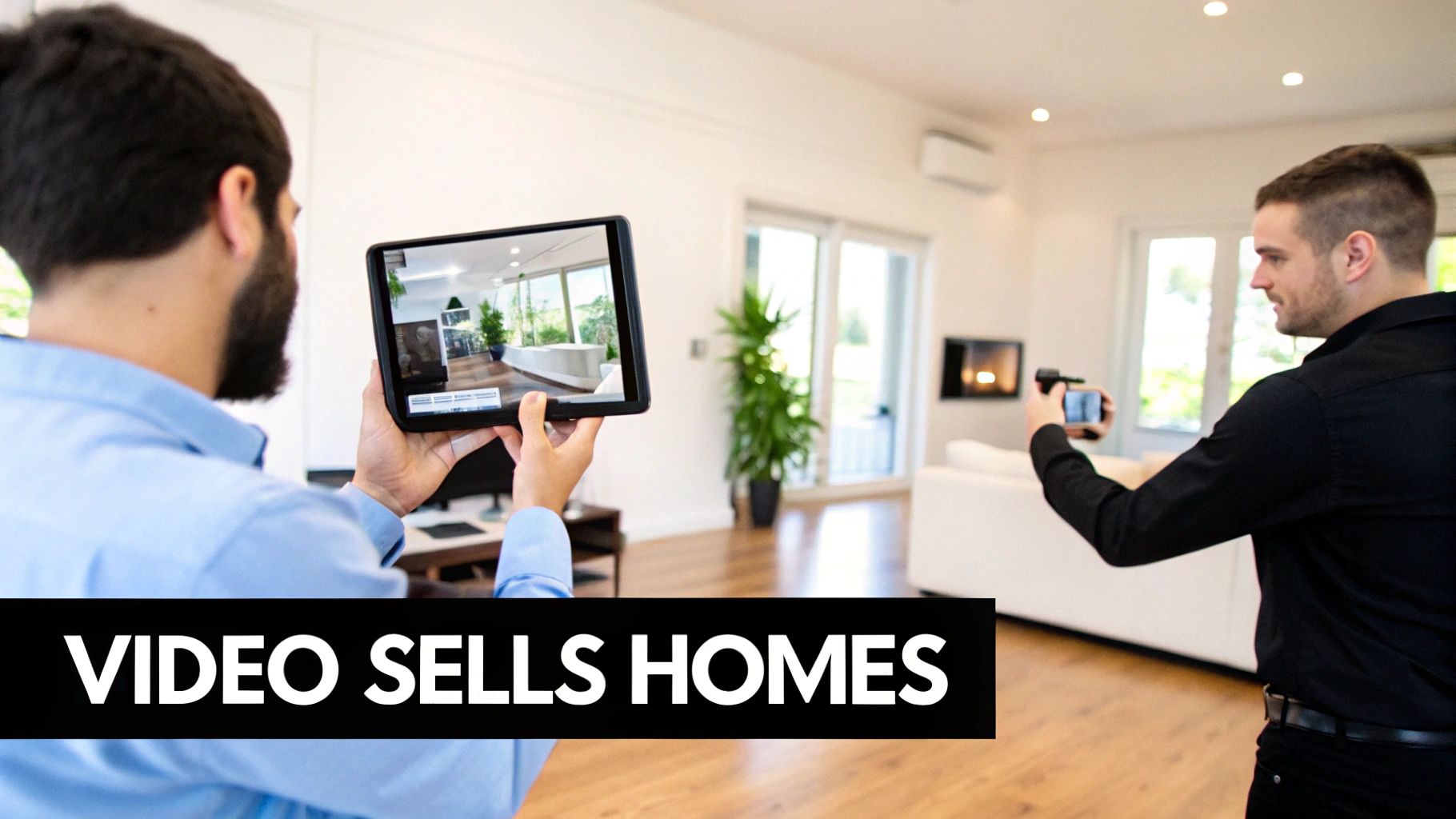
Think about how people shop for homes today. It all starts with a scroll. They’re swiping through hundreds of properties online, and static images just start to blur together. A picture might show a room, but it can't convey the feel of the space—the layout, the light, the very essence that makes a house a potential home. That's the real challenge: how do you stop the scroll and make someone feel something?
This is exactly where video marketing changes the game. It’s not just another nice-to-have; it’s a powerful tool that transforms a passive viewing into an active experience. A great video works like a 24/7 open house, inviting buyers to walk through the property on their own time and start picturing their life there.
The Numbers Don't Lie: Video Drives Engagement
If you need proof, just look at the stats. Listings that include a video get a massive 403% more inquiries than listings that don't. That number is huge. Yet, what's truly surprising is that only around 10% of agents are really using video to its full potential. This isn't just a missed opportunity; it's a wide-open lane for any agent who's ready to stand out.
Video marketing builds an emotional bridge. It stops selling square footage and starts selling a lifestyle—a feeling that photos alone simply can't capture.
When you use video, you're meeting modern buyers where they are. They're already watching videos all day on social media, so a dynamic property tour feels natural and engaging. It shows you understand what they're looking for and instantly sets your listings—and your reputation—apart. For a deeper dive, check out this complete guide to video marketing for real estate agents.
High-Quality Video is Now Easier Than Ever
Not too long ago, creating a decent real estate video meant hiring an expensive crew and dealing with a complicated editing process. It was a huge barrier for most agents. But that's all changed. Today, new tools have made it incredibly simple and affordable to produce professional-looking videos yourself.
You don't need a Hollywood budget or technical skills anymore. Modern platforms make it possible for anyone to:
- Turn photos into video: Instantly convert your beautiful listing photos into a smooth, flowing video tour.
- Brand it your way: Quickly add your logo, contact info, and the perfect background music for a polished, professional touch.
- Get it done in minutes: Create eye-catching videos ready for social media, the MLS, and your website with just a few clicks.
What was once a high-cost luxury is now an accessible, powerful marketing tool for every agent. It completely levels the playing field and gives you the power to create compelling content that gets results.
The Best Kinds of Real Estate Videos for Your Business
When it comes to real estate videos, one size definitely does not fit all. The best video for the job really depends on what you're trying to accomplish. Are you hoping a buyer will fall head-over-heels for a specific listing? Or are you aiming to cement your reputation as the go-to agent in your neighborhood?
Think of your video strategy as a toolkit. You wouldn't use a hammer to saw a board, right? In the same way, a long, detailed property tour isn't the right tool to grab someone's attention while they're scrolling social media. Each video format has a job to do, an audience to reach, and a platform where it shines.
By matching the right video to your goal, you build a powerful marketing plan that does more than just show off properties—it builds your brand and brings in real business. Let’s break down the heavy hitters.
Cinematic Property Tours
The cinematic property tour is the classic, the foundation of listing-focused videos real estate. Its main job is to forge an emotional connection between a potential buyer and the home. This isn't just about showing four walls and a roof; it's about telling the story of the lifestyle that comes with the keys.
These videos feel most at home on platforms where people are actively searching for properties, like your website, the MLS, Zillow, and YouTube. Keep them between one and three minutes—that's enough time to highlight key features, like the morning light pouring into the kitchen or the easy flow from the living room to the back patio, without losing your audience.
A great cinematic tour makes a buyer feel like they're already walking through their future home, imagining where their couch will go. It’s an immersive experience that turns a casual looker into someone who can’t wait to book a showing.
Bite-Sized Social Media Clips
While longer tours are perfect for buyers who are already deep in their search, short-form videos are the undisputed champions of grabbing that initial attention. These are quick, energetic clips made for platforms like Instagram Reels, TikTok, and YouTube Shorts. Their only mission? To stop the scroll and get people engaged, fast.
Videos under 60 seconds consistently crush static posts in both reach and interaction. In fact, agents using them see 49% more qualified leads from their video listings. You can dig into the full report and other marketing trends over at Virtuance.com.
Think of these clips as exciting movie trailers for your listings. You could try:
- A "Top 3 Features" video showing off a gourmet kitchen, a spa-like bathroom, and a killer view.
- A quick "before and after" reveal of a beautifully staged room.
- A rapid-fire montage of the property’s best angles set to a trending song.
Authentic Neighborhood Profiles
Buyers aren’t just buying a house; they’re buying into a community and a lifestyle. That’s exactly where neighborhood profile videos shine. These videos shift the spotlight from the property to the surrounding area, helping buyers truly picture themselves living there.
The goal here is simple: sell the location. Show off that great local coffee shop, the beautiful park down the street, or the bustling farmers market on a Saturday morning. This kind of content is perfect for your website, YouTube channel, and Facebook page because it establishes you as a true local expert. If you need more inspiration, check out our guide on creating impactful videos for realtors.
Neighborhood videos answer the questions a buyer might not even ask out loud: "What's it really like to live here? Will I fit in? Is this a community I can call home?" Answering these builds an incredible amount of trust.
Personal Agent Introductions
Finally, let’s talk about one of the most overlooked but powerful types of real estate videos: the personal introduction. In a business built on relationships, trust is currency. These videos let potential clients "meet" you before they ever dial your number.
The whole point is to build a connection and show them you know your stuff. A simple, one-minute video on your website's "About Me" page or pinned to your social media profiles can make you far more approachable and memorable. Talk about why you love what you do, what makes you different, and what clients can expect from working with you. That personal touch can be the very thing that makes a client choose you over the competition.
Choosing Your Real Estate Video Format
Deciding which video to make can feel overwhelming, but it doesn't have to be. This table breaks down the most common formats to help you match your video to your goal.
| Video Type | Primary Goal | Best Platforms | Optimal Length |
|---|---|---|---|
| Cinematic Tour | Create an emotional connection to a specific listing. | Website, MLS, Zillow, YouTube | 1-3 Minutes |
| Social Media Clip | Grab attention and generate quick engagement. | Instagram Reels, TikTok, YouTube Shorts | Under 60 Seconds |
| Neighborhood Profile | Sell the lifestyle and establish local expertise. | Website, YouTube, Facebook | 2-4 Minutes |
| Agent Introduction | Build trust and personal rapport with potential clients. | Website ("About" page), Social Profiles | 60-90 Seconds |
Think of this as your quick-start guide. Whether you're showcasing a new luxury listing or introducing yourself to the community, picking the right format ensures your message hits home every time.
How to Create Professional Videos from Photos
Not too long ago, creating a quality video for a real estate listing was a major production. It meant hiring a videographer, dealing with expensive camera equipment, and then sinking hours into complex editing software. Frankly, the old way was slow, pricey, and just not practical for most agents.
Thankfully, that entire process is a thing of the past. Today's tools have made a much simpler, faster, and more affordable workflow possible: the "photo-to-video" method. This is exactly what it sounds like—you can turn your high-quality listing photos into a dynamic, cinematic video in just a few minutes, no technical skills required.
This diagram shows how video directly supports the main goals of real estate marketing, from getting more eyes on a property to sealing the deal.
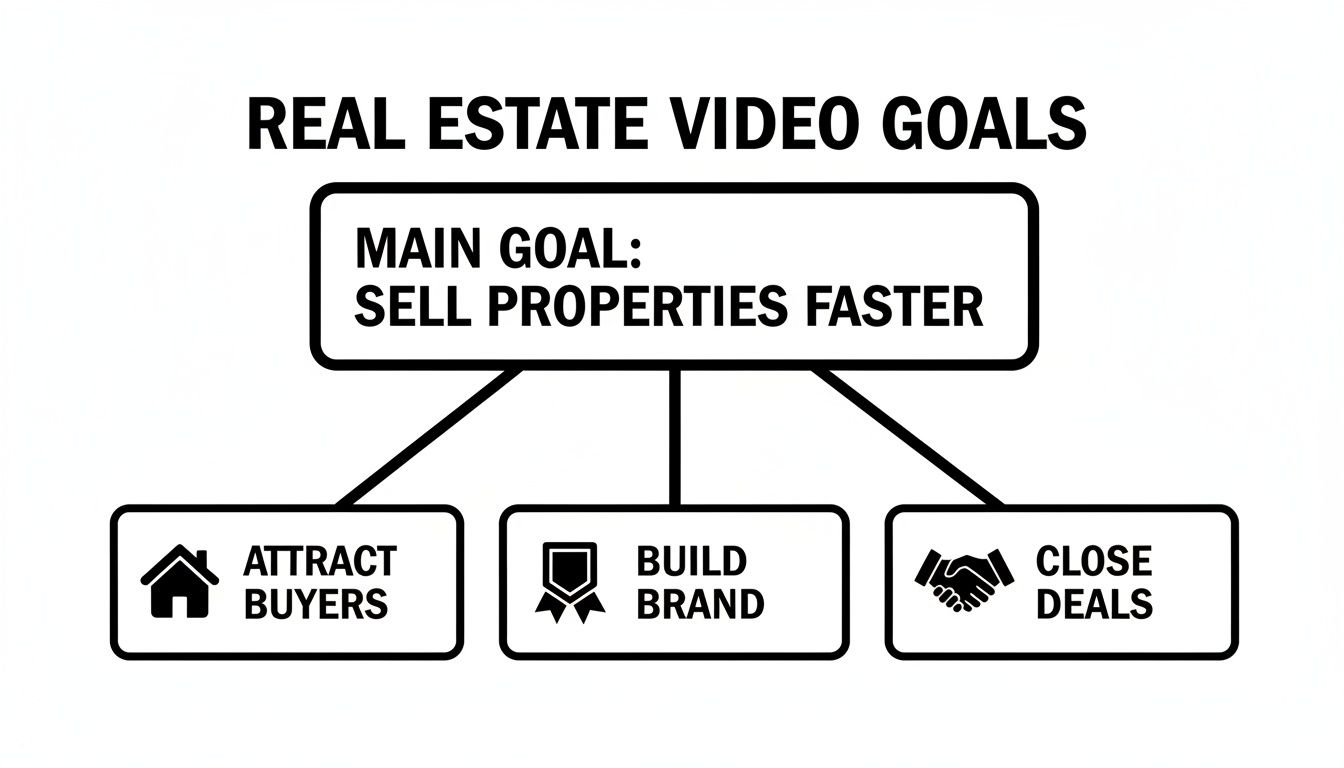
Ultimately, every video you make should push viewers toward one of these key business outcomes. It’s about making your marketing more intentional and effective.
The Power of a Digital Cinematographer
The secret sauce behind this photo-to-video magic is artificial intelligence. It’s best to think of these new tools as your own personal "digital cinematographer." When you upload your still images, the AI doesn't just string them together in a boring slideshow. It intelligently analyzes each photo to actually understand the space.
It picks out key features like walls, windows, furniture, and the natural focal points of a room. Based on that scan, the AI plots out smooth, cinematic camera paths that look just like what a professional videographer would film. This is how a static room is brought to life with subtle, captivating motion.
These automated movements include things like:
- Panning Shots: The virtual camera sweeps smoothly from left to right, showing off the full width of a spacious living room.
- Dolly-In and Zooms: The view glides gently toward an important feature, like a gorgeous fireplace or a high-end kitchen island, pulling the viewer's attention right where you want it.
- Reveal Shots: The camera moves from behind something, like a doorway, to slowly unveil the next space. This creates a really nice sense of discovery.
This smart motion is what makes a video look professional instead of like a basic slideshow. It adds depth and a narrative feel, making viewers feel like they are truly walking through the home. That's an immersive experience photos alone just can't match.
Adding the Final Polish in Minutes
After the AI works its magic and generates the core video, all that's left is adding the final professional touches. This part is designed to be quick and easy, letting you produce a polished video without any real editing experience.
First, you'll pick the right soundtrack. Music is a huge part of setting the right tone. A modern, upbeat track might be perfect for a downtown condo, while a calm, elegant piece could be a better fit for a classic suburban home. Most platforms give you libraries of royalty-free music, so you don't have to worry about legal issues when you post to social media or the MLS.
The right music does more than just fill silence; it evokes emotion. It helps a potential buyer connect with the feeling of a home, turning a simple viewing into a memorable experience.
Next, you add your branding. This is where you pop in your logo, headshot, and contact information. It’s a simple way to make sure every video you share reinforces your brand and tells interested buyers exactly how to reach you. If you want to dive deeper into this workflow, our detailed guide on http://agentpulse.ai/blog/how-to-convert-photos-into-videos is a great resource.
To get that truly professional quality, whether you're starting with photos or raw footage, it’s worth checking out the best software for editing videos for YouTube. Many of these tools are also perfect for real estate, with features that let you add text overlays, transitions, and other custom tweaks if you want to get more hands-on. By combining AI-powered creation with user-friendly editing software, professional-grade video is now within reach for every agent, photographer, and property manager. It’s a total game-changer.
Where to Share Your Videos for Maximum Impact
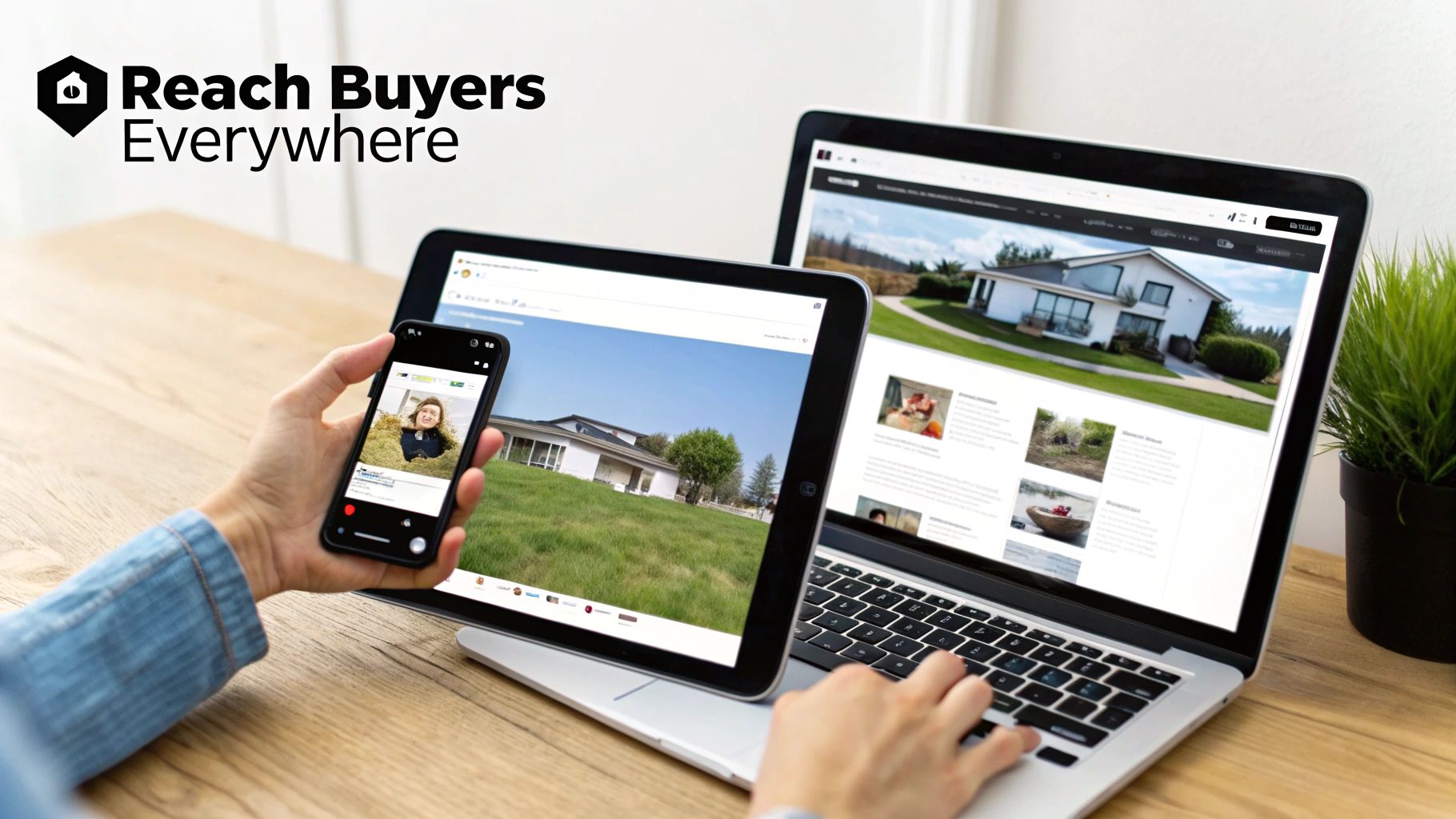
Creating a fantastic video is a huge step, but it’s really just the beginning. A beautiful property tour doesn't do you any good if no one ever sees it. The real magic happens when you get that video in front of the right people, on the platforms they're already using every single day.
Think about it this way: you wouldn't use the same script for a formal presentation and a casual chat with a friend. Your video distribution should work the same way. Each platform—from the MLS to social media—is a different stage with a unique audience. To get the best results, you need to tailor your approach for each one.
This is about more than just hitting "upload" everywhere. It’s a smart strategy that adapts to the rules and expectations of each channel, ensuring your video always hits the mark.
Choosing the Right Stage for Your Video
Your distribution plan should start with the platforms that matter most in the home-buying process. Each one has a specific job to do, whether it’s providing in-depth details or just grabbing someone's attention.
The MLS and Your Website
Think of the MLS and your own website as your digital headquarters. These are the go-to spots for serious buyers who are actively looking for detailed information. This is the perfect place for your full-length cinematic property tour, typically running between one and three minutes.
- Your Goal: Give potential buyers a comprehensive, immersive experience of the property.
- What to Do: Embed the video directly into your MLS listing and create a dedicated page for it on your website. This is great for keeping visitors on your site longer, which search engines love.
- A Pro Tip: Make sure you use a stunning thumbnail photo and a clear title like "Full Video Tour of 123 Maple Lane" to get people to click play.
Social Media Channels
Platforms like Instagram, Facebook, and TikTok are all about discovery. People are scrolling fast, so your content has to be short, punchy, and visually interesting to stop them in their tracks. This is where your shorter clips and highlight reels really get to shine.
On social media, you have less than three seconds to stop the scroll. Your video's opening shot is your one chance to make someone pause and pay attention. Make it count.
For social media, focus on vertical videos that are under 60 seconds. You can showcase the top three features of a home, create a fun "before and after" reveal, or set a quick montage to a trending song. The idea isn't to show every single room, but to spark enough curiosity to get them to click through to your main listing.
How to Write a Social Post That Actually Works
Just posting a video with no context is a missed opportunity. The words you write to go along with your video are just as crucial as the video itself.
A great social media post for your videos real estate needs three things:
- A Hook: Grab their attention right away with a question or a bold statement. Try something like, "Could you see yourself making breakfast in this sun-drenched kitchen?" or "This backyard is an entertainer's dream."
- Key Details: Quickly list the must-knows: beds, baths, square footage, and location. Using emojis here can help break up the text and make it easier to read.
- A Clear Call-to-Action (CTA): Tell people exactly what you want them to do next. Don't leave them hanging! Use direct phrases like, "Tap the link in my bio to see the full tour!" or "Send me a DM to schedule a showing."
This simple formula can turn someone who is just passively scrolling into an active lead.
Your Technical Cheat Sheet for Video Specs
Every social media platform has its own set of rules for video. A video that looks amazing on Facebook might get awkwardly cropped on Instagram. To avoid any technical headaches and make sure your content always looks sharp, keep this cheat sheet handy.
Social Media Video Specifications Cheat Sheet
Getting the technical details right ensures your video is displayed perfectly, no matter where your audience finds it. Here are the specs you need to know.
| Platform | Recommended Format | Aspect Ratio | Max Length |
|---|---|---|---|
| Instagram Reels | MP4 | 9:16 (Vertical) | 90 Seconds |
| Facebook Feed | MP4 | 4:5 or 1:1 (Square) | 240 Minutes |
| TikTok | MP4 | 9:16 (Vertical) | 10 Minutes |
| YouTube Shorts | MP4 | 9:16 (Vertical) | 60 Seconds |
By keeping these specs in mind while you're creating your videos, you'll save yourself a lot of time and frustration later on. A little bit of planning goes a long way in making sure your brand and your listings always look polished and professional.
How to Measure Your Video Marketing Success
You can’t improve what you don’t measure. When it comes to video, guessing just won’t cut it. Tracking your video performance is the only way to know for sure what’s working, what’s falling flat, and how to make smarter marketing decisions.
Focusing on the right numbers tells you exactly what catches a buyer's eye and what makes them scroll away. Think of it less as "checking stats" and more as listening to what your audience is telling you.
Here are the key signals to watch:
- View Duration: This is huge. It shows you exactly how long you’re holding someone’s attention. Are they bailing after 10 seconds or watching all the way through?
- Engagement Rate: This tracks the likes, comments, and shares. It’s a great measure of how much your video actually connected with people.
- Click-Through Rate (CTR): This tells you what percentage of viewers took the next step and clicked the link to your listing or website.
- Conversion Rate: This is the ultimate goal—it connects the dots between a video view and a tangible lead, like a form submission or a phone call.
- Drop-Off Points: This is gold. It pinpoints the exact moment in your video where viewers lose interest and leave.
Understanding the Core Metrics
Let's be honest, view duration is one of the most important metrics out there. It’s a direct reflection of how compelling your video is. A high average watch time is a strong sign that your pacing, visuals, and story are all hitting the mark.
Engagement rate, on the other hand, gives you a peek into the social side of things. When people share your video, they’re essentially giving it their personal stamp of approval.
“Watching a listing video all the way through is a strong signal of genuine interest,” says marketing expert Jamie Liu.
Think about it—someone who sticks around for a full two-minute tour is much more invested than someone who just glances at a photo. That sustained attention often translates directly into more inquiries and showings.
Your CTR shows how well you’re guiding viewers to the next step. A great video isn't just about pretty visuals; it's about getting someone to click that link and learn more about the property. That click is what moves them down the funnel and closer to a deal.
Running A/B Tests for Thumbnails and Music
If you really want to optimize your results, start A/B testing. It’s simpler than it sounds.
- Pick just one thing to test at a time, like the thumbnail image or the background music.
- Create two different versions—let's call them A and B.
- Show both versions to similar audiences at the same time.
- Compare the results. Check which one got a better CTR or a longer watch time to find your winner.
When you look at the results, you're searching for clear winners. For instance, if version B's thumbnail gets a 15% higher CTR, you’ve found a design that grabs more attention.
From there, you can start making smarter, data-backed decisions. Maybe you’ll find that shorter videos perform better, or that a certain style of music gets more engagement. The goal is to constantly refine your approach.
- Adjust video lengths to match what your audience actually watches.
- Pick music that creates the right mood for the property.
- Rewrite your calls-to-action to be clearer and more direct.
For a deeper dive into the financial side of all this, it’s really helpful to understand the principles of measuring content marketing ROI.
Connecting Video Metrics to Business Outcomes
To truly prove your video's worth, you have to connect the stats back to real business results. It starts by giving each video a clear job to do.
For example, you can track exactly how many showing requests came directly from one of your property tour videos. A simple way to do this is by using UTM parameters in your links, which lets you see in your analytics which campaigns are driving contact form submissions.
This makes it incredibly easy to see which videos are bringing in the most qualified leads.
Next, you can calculate your cost per lead. Just divide your total video production and promotion costs by the number of inquiries you received. This gives you a clear picture of the ROI for each and every video.
Finally, don’t forget to build strong calls-to-action right into your videos. Don’t just end the video—tell people exactly what to do next.
- Prompt them to "Click the link below to schedule a private tour."
- Use clickable end screens that link directly to your contact page.
- Consider offering a small, time-sensitive incentive to get them to act now.
When you combine solid data with a compelling nudge to take action, you start turning passive viewers into genuinely interested prospects. This is how you shift your strategy from just making videos to making videos that actually grow your business.
Common Questions About Real Estate Videos
Even with all the clear benefits, I get it—diving into video can feel like a huge step. A lot of agents I talk to are hesitant, worried about the time, the cost, or just feeling like they don't have the technical skills. Let's tackle those common questions head-on so you can start making great videos with confidence.
Can I Make Real Estate Videos Without Editing Skills?
Absolutely. This is probably the biggest myth holding people back. You don’t need to be a video editing wizard anymore.
Modern tools, especially AI-powered ones, are built for people who aren't video editors. You just upload your high-quality listing photos, and the software does all the heavy lifting. It’s pretty clever—the AI looks at each photo, figures out the room's best features, and then creates those smooth, cinematic camera pans and zooms automatically. You can add your logo and pick some music with a few clicks. This completely skips the steep learning curve of traditional video software.
What Is the Best Length for a Real Estate Video?
This is a great question, and the answer is: it depends entirely on where you're posting it. There’s no magic number. You have to match the video’s length to the platform and what people expect there.
A video's length should respect the viewer's context. A quick, energetic clip wins on social media, while a detailed tour thrives on a listing page where buyers are actively seeking information.
Here’s a simple way to think about it:
- For Social Media: Think fast. On Instagram Reels or TikTok, you’ve got seconds to grab someone's attention as they scroll. Keep these videos tight, somewhere between 15 and 60 seconds.
- For Listings: When a buyer is on your website, the MLS, or YouTube, they're looking for details. Here, you can slow down and tell a better story. A virtual tour that runs between one and three minutes is perfect for giving serious buyers a real feel for the home.
Is It OK to Use Popular Music in My Videos?
This is a hard no, and it's a critical one. Using a popular song from an artist like Taylor Swift or Drake in your marketing video without a license is a recipe for disaster. It’s not just a small mistake; it can get your video muted or taken down, and in the worst case, lead to legal trouble for copyright infringement.
The safe and smart play is to use royalty-free music. Good video creation tools—especially the ones that turn your photos into videos—have built-in libraries of music that's already cleared for commercial use. Sticking to these tracks means your videos are legally sound and safe to use everywhere, from your social media feed to paid ads. It protects you and your business while still letting you create the perfect vibe for your listing.
Ready to create stunning, scroll-stopping videos from your listing photos in minutes? AgentPulse uses AI to automatically generate cinematic video tours, complete with music and branding. No editing skills needed. Learn more about AgentPulse