A real home video takes your static listing photos and weaves them into a dynamic, emotional tour. It’s a game-changer because it uses motion to create a real connection, making a property feel like a home before a buyer even sets foot inside.
Why a Real Home Video Is a Non-Negotiable Sales Tool
Let’s be honest, video isn't just a "nice-to-have" feature anymore. In today's market, where everyone is scrolling, a compelling real home video is how you stop the scroll and get serious inquiries. Static photos show a room, but a well-made video tells its story.
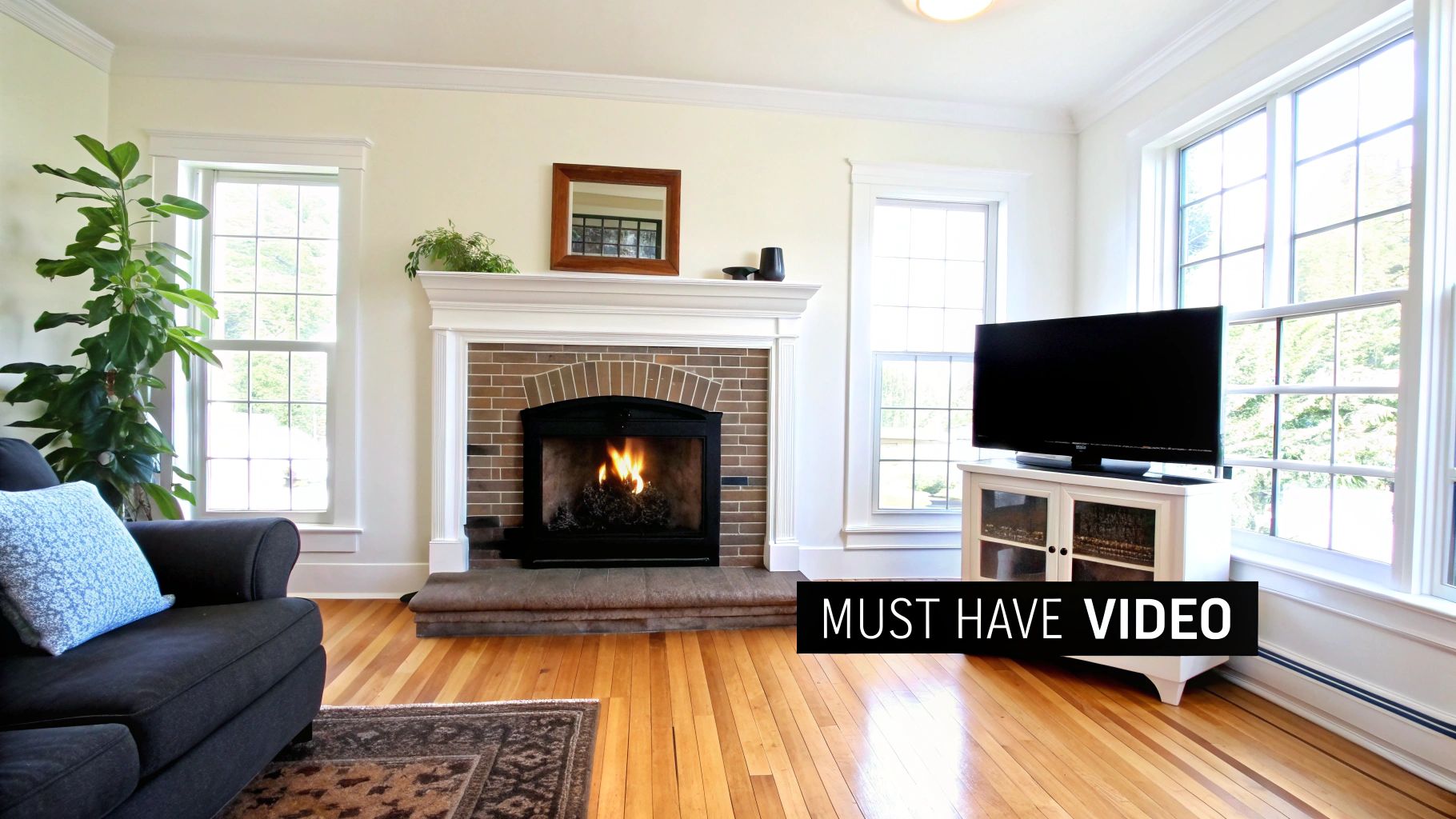
The reason this works so well comes down to basic psychology. Our brains are wired to respond to motion. It triggers a much stronger emotional response than a still image ever could. Simple effects, like a slow zoom into a cozy fireplace or a smooth pan across a spacious kitchen, make the property feel real and inviting.
The Power of Emotional Connection
When a potential buyer watches your video, they're doing more than just looking at a house—they're picturing their life unfolding there. They see themselves hosting a dinner party in that dining room or relaxing by the pool on a summer day. This is the emotional investment that turns casual browsers into motivated buyers.
A well-crafted video builds desire and trust from the very first click. It answers unspoken questions about the home's flow and atmosphere, making viewers feel more confident and connected.
The data on this is impossible to ignore. Industry reports show that listings with professional videos get a massive 403% more inquiries than those with just photos. On top of that, these listings often sell up to 31% faster. The takeaway is clear: motion speeds up the entire sales process.
Buyers have come to expect this, too. A recent survey found that 73% of homeowners say they are more likely to list with an agent who uses video.
Attracting Qualified and Engaged Buyers
A great video doesn't just attract more leads; it attracts better ones. By giving people a comprehensive tour of the property upfront, you're essentially pre-qualifying them. If someone watches a full video tour and then books a showing, you know they're a serious prospect. They’ve already walked through the home virtually and have a genuine interest.
This saves a ton of time for both you and your clients by weeding out people who aren't the right fit. It also cements your reputation as a modern, marketing-savvy agent. For a perfect example of this in action, look at how authentic UGC videos for real estate showcase properties—they prove that engaging, real-feeling content is what truly connects with buyers.
Building Your Video Story From Existing Photos
A great video doesn't just happen; it starts with a plan. Before you even touch a video creation tool, the most important work happens right in your photo library. You need to think like a storyteller, arranging your existing listing photos into a narrative that pulls a viewer right through the front door and makes them feel at home.
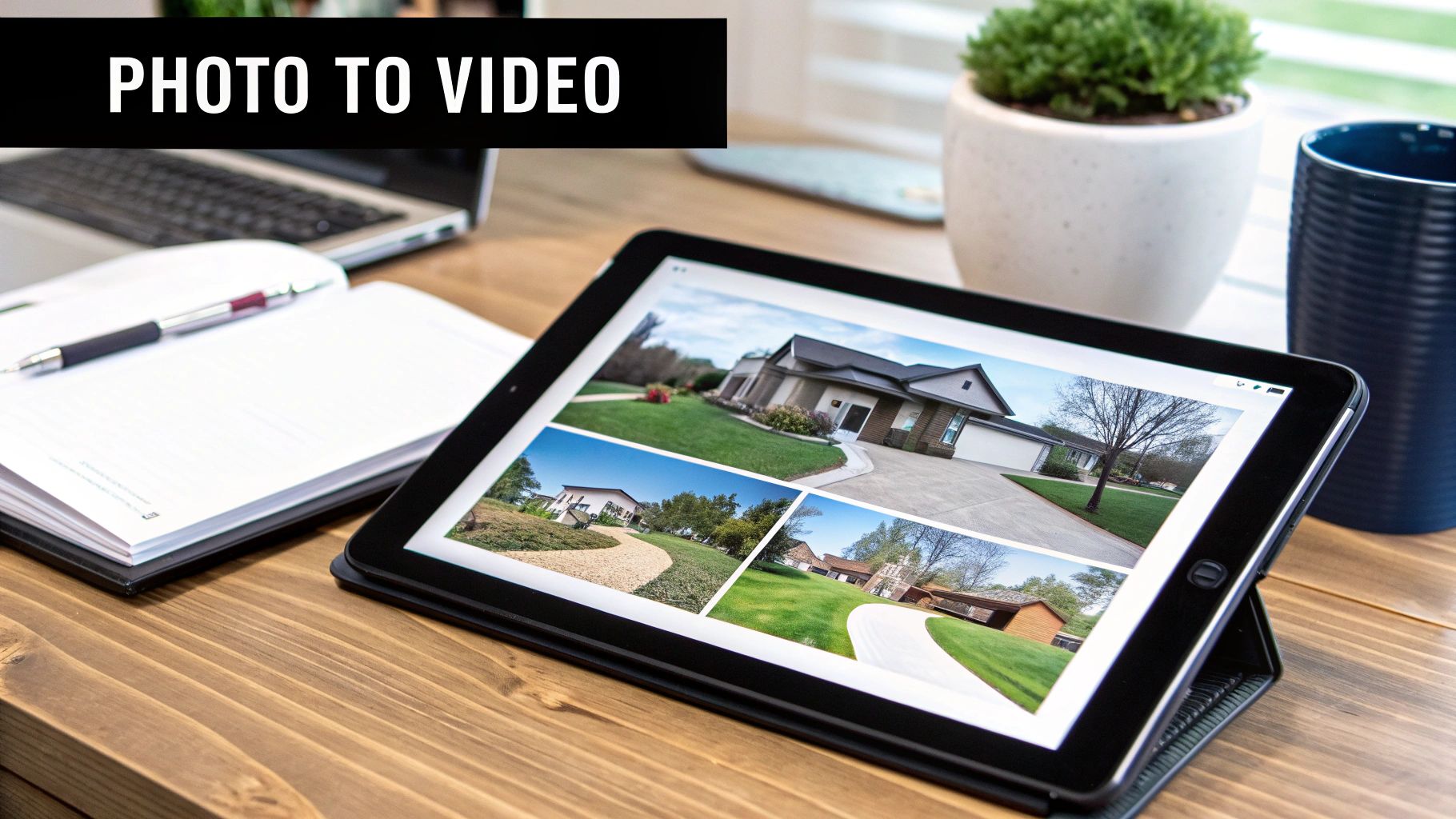
Honestly, it’s just like planning an in-person showing. You'd never walk a potential buyer straight to the main bedroom closet before they’ve seen the living room, right? Your video needs to follow that same logical, welcoming path.
Curate Your Best Images for a Natural Flow
The mission here is to create a seamless virtual walkthrough. Start by pulling all your high-resolution photos into one folder. Now, be ruthless. You're not just making a slideshow; you're telling a story, so pick only the most compelling shots that show off the home’s money-makers.
Your sequence should feel completely natural, guiding viewers from one space to the next as if they were walking through it themselves. I’ve found this flow works wonders:
- The Hook: Kick things off with that killer exterior shot that nails the curb appeal.
- The Welcome: Next, move right inside to the entryway or foyer. Make them feel like they've just arrived.
- The Heart of the Home: From there, flow into the main living areas—the living room, dining room, and kitchen. This is where they'll picture their life happening.
- The Private Spaces: Now you can guide them through the more personal areas like bedrooms and bathrooms.
- The Grand Finale: End on a high note. Show off that amazing backyard, the stunning view from the patio, or any other special feature that makes the property unforgettable.
This progression builds a mental map for the viewer, helping the home feel familiar and stick in their memory. Whatever you do, avoid jarring transitions. Jumping from the kitchen to the backyard and then back to an upstairs bedroom is just confusing and kills the vibe.
This simple blueprint provides a clear path for selecting and ordering your photos, ensuring your video tells a coherent and persuasive story.
Photo Selection and Sequencing Blueprint
| Video Section | Photo Type to Select | Sequencing Goal |
|---|---|---|
| The Hook (0-3s) | Best exterior shot (front of house, great curb appeal) | Grab attention instantly and establish the home's character. |
| The Welcome (3-6s) | Entryway, foyer, or front door view | Create a warm, inviting sense of arrival for the viewer. |
| Living Spaces (6-15s) | Living room, family room, kitchen, dining area | Showcase the heart of the home where daily life unfolds. |
| Private Quarters (15-22s) | Primary bedroom, ensuite bath, other bedrooms | Allow viewers to envision their personal sanctuary. |
| Bonus Features (22-27s) | Home office, unique architectural details, finished basement | Highlight the property's unique selling points. |
| The Finale (27-30s) | Backyard, patio, pool, or a stunning view | End with the most memorable feature, leaving a lasting impression. |
By following this structure, you're not just showing pictures; you're guiding a potential buyer on a journey they can easily follow and connect with.
Prepare Your Photos for Cinematic Animation
With your photos selected and sequenced, a few minutes of prep work can make a world of difference in your final video. The AI tool is only as good as the ingredients you give it, so feeding it clean, polished images is the secret to getting that smooth, professional motion.
This isn’t about becoming a Photoshop wizard. We're talking about small, quick tweaks that create a consistent look across all your images. The goal is to make the video feel like a single, cohesive production, not a clunky collection of random photos.
Think of it this way: You're setting the stage for the AI. Clean, bright, and well-framed images give the software the best possible material to work with. The result? More believable pans, zooms, and reveals that truly impress.
Before you upload a single image, run through this quick checklist:
- Adjust Brightness and Contrast: Make sure every photo is bright and clear. Consistent lighting across your shots prevents distracting flashes or dark spots as the video transitions from one scene to the next.
- Check Composition and Framing: Don't be afraid to crop an image slightly to better center a room's key feature. Using the rule of thirds can also create a more balanced, professional-looking shot.
- Ensure Consistent Color Temperature: Try to match the color balance so the photos feel like they were taken on the same day. A warm, golden-hour kitchen photo followed by a cool, blue-toned living room can feel jarring.
- Confirm High Resolution: This is non-negotiable. Always use the highest-resolution photos you have. The AI needs all that pixel data to create smooth motion without the final video looking blurry or pixelated when it zooms in.
Putting in this little bit of effort up front is what separates an amateur-looking video from a captivating one that stops the scroll and gets potential buyers to take notice.
Using AI to Create Your Cinematic Tour
This is where the magic happens. After all that careful planning and photo sequencing, you’ve got the perfect raw material for the AI to do its thing. We're about to turn that hand-picked collection of static images into a dynamic, flowing video that truly feels like a home.
Forget wrestling with complicated editing software. Modern AI video tools are designed to be incredibly intuitive—pretty much just upload and go.
The concept is simple: you provide the narrative with your sequenced photos, and the AI handles the professional cinematography. It intelligently analyzes each image, finds the focal points, and applies subtle motion effects that mimic a real camera crew. That shot of the kitchen? The AI can turn it into a slow, revealing pan that glides over the granite countertops and stainless steel appliances.
From Upload to Masterpiece in Minutes
The entire process is built for speed. You’re not going to be spending hours dragging clips on a timeline or messing with keyframes. Instead, you'll make a few simple choices to guide the AI, ensuring the final video matches the property's unique vibe.
Getting started is as easy as dragging and dropping your prepared photos into the platform. Once they're in, the AI immediately starts analyzing the visual data to map out its camera movements.
You’ll usually encounter a clean, user-friendly interface that looks something like this.
As you can see, these tools are built to be accessible. They give you clear options without burying you in technical jargon.
Choosing Your Cinematic Style and Motion
After your photos are uploaded, you get to play director. You'll be presented with different style options, which are essentially pre-set motion profiles that tell the AI how to animate your images.
- Parallax Pans: This effect is fantastic for creating a sense of depth. It moves foreground and background elements at slightly different speeds, making a room feel more spacious and three-dimensional.
- Slow Zooms (Dolly-Ins): A gentle push-in on a key feature—like a cozy fireplace or a beautiful window view—really draws the viewer's eye and creates a more intimate feeling.
- Reveal Shots: The AI can create some seriously professional-looking shots, like panning across a wall to dramatically reveal the main living space or sliding upward to show off a vaulted ceiling.
The trick is to pick a style that fits the property's personality. A fast-paced, dynamic style might be perfect for a trendy downtown loft, while a slow, graceful approach is a much better fit for a sprawling luxury estate. To see what's out there, check out our guide on the best AI video creation tools for real estate.
Setting the Mood with Music
Never underestimate the power of music. The right track can completely transform a video's emotional impact, turning a simple walkthrough into something truly exciting or calming. Most AI video generators come with a built-in library of royalty-free music, so you don't have to sweat the copyright details.
Think about the property's character when you're picking a song:
- Modern Pop: A great choice for a chic city condo or a home with a vibrant, youthful feel.
- Calm Acoustic: Works wonders for a rustic farmhouse, a cozy cabin, or any property surrounded by nature.
- Elegant Orchestral: This adds a layer of luxury and sophistication, perfect for high-end listings.
A great soundtrack doesn't just fill silence; it amplifies the feeling you want to evoke. It's the emotional glue that holds the visual story together, making the property more memorable.
Formatting for Every Platform
Your video’s work isn't done once it hits the MLS. To really get eyes on your listing, you need to share it everywhere—social media, your website, email newsletters. This is why getting the format, or aspect ratio, right is so important.
- Landscape (16:9): This is the classic widescreen format. It’s your go-to for YouTube, your website, and most MLS platforms.
- Portrait (9:16): Absolutely essential for Instagram Reels, TikTok, and Stories. This vertical format fills the entire mobile screen and stops scrollers in their tracks.
- Square (1:1): A super versatile option that looks great in the Instagram and Facebook feeds.
One of the biggest perks of using an AI tool is that it can often spit out versions for each format from the same batch of photos. This saves a massive amount of time, which is a huge advantage when speed and reach are everything.
It’s shocking how few agents are actually doing this. One study found that only 38% of agents use video, which leaves a wide-open opportunity for you to stand out. For anyone marketing a property, these AI tools can deliver a polished, HD video in just 2-5 minutes, perfectly formatted for any platform. You can dig into more stats like this in this insightful real estate marketing report.
Getting Your Video Out There: Exporting for Maximum Impact
You’ve done all the creative legwork, and your video is looking fantastic. But hold on—don't just slam the export button and call it a day. How you export your video is the final, crucial step that dictates how well your hard work actually performs in the wild.
A few smart choices here can be the difference between a video that looks crisp and professional versus one that feels clunky and amateurish. We're not going to get lost in a sea of technical jargon, just a few key decisions to make sure your video shines on every platform, from the MLS to Instagram.
The good news is that most modern AI video tools have really cleaned up this process. Instead of navigating a dozen confusing menus, you get a much simpler workflow.
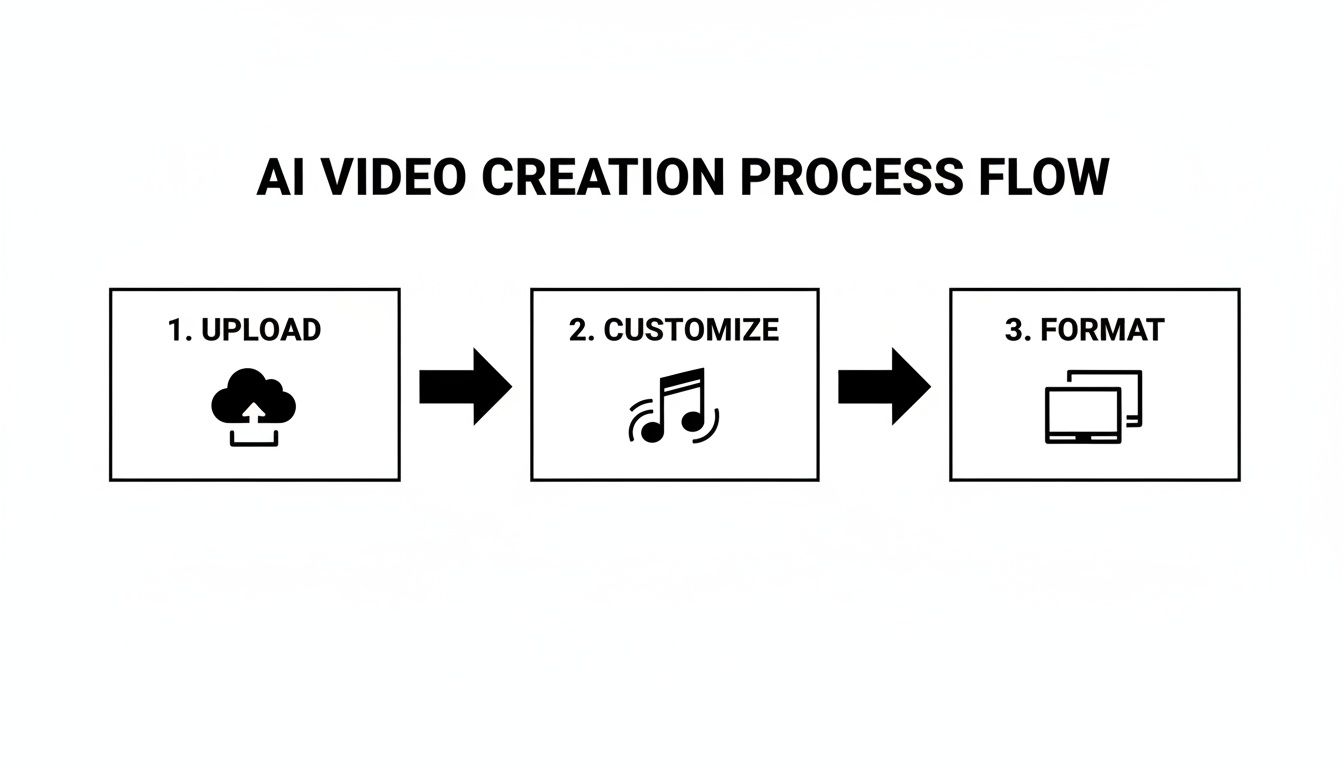
This workflow really highlights how, after you’ve uploaded your photos and picked a style, the final formatting step is where you adapt the video for all your different marketing channels.
Choosing the Right Resolution and Quality
Your first call is typically video resolution. This is all about how sharp and clear the video looks, but bigger isn't automatically better. You have to strike a balance between visual pop and a manageable file size.
For almost everything you do, 1080p (Full HD) is the sweet spot. It delivers a crisp, high-quality viewing experience that looks great on MLS listings, YouTube, and your own website. It’s the perfect middle ground for showing off a property’s best features without creating a gigantic file that takes forever to load.
What about the other options you might see?
- 720p (HD): While not as sharp, 720p is a solid choice when you need a smaller file. Think faster website load times or email campaigns where deliverability is the top priority.
- 4K (Ultra HD): This resolution offers stunning detail, but it creates massive files. Honestly, it’s usually overkill for real estate marketing and can even cause frustrating playback issues for viewers on slower internet connections.
My rule of thumb is simple: Always export a master copy in 1080p. From that high-quality file, you can easily create smaller versions later if you need them.
One Video, Many Platforms: Tailoring Your Export
A one-size-fits-all video strategy just doesn't cut it anymore. A potential buyer scrolling through Zillow has a completely different mindset than someone swiping through TikTok. To truly grab their attention, you need to customize your video's length and format for each platform.
The great thing is, you can use the same batch of photos to quickly spin up multiple versions for different channels. If you're curious about the tools that make this a breeze, check out our guide to the best real estate video editing software.
Here’s a practical look at how I’d adapt a single home tour video:
MLS & YouTube (The Full Tour)
- Length: 60-90 seconds
- Format: Landscape (16:9)
- The Goal: Give serious buyers a comprehensive, detailed walkthrough. This is their chance to see everything the property offers.
Instagram & Facebook Feed (The Highlight Reel)
- Length: 30-45 seconds
- Format: Square (1:1) or Portrait (4:5)
- The Goal: Stop the scroll by showcasing the top 3-5 "wow" features. This version needs to be visually punchy and get straight to the good stuff.
Instagram Reels & TikTok (The Quick Teaser)
- Length: Under 15 seconds
- Format: Portrait (9:16)
- The Goal: Build curiosity with a fast-paced, energetic teaser. Use quick cuts synced to trending audio to maximize reach and get people to click the link in your bio for the full tour.
Adopting this platform-specific strategy ensures your video doesn't just look good, it feels right for the audience, which can dramatically boost its impact. It shows you understand how people consume content in different online spaces, and that alone elevates your marketing game.
Writing Copy That Drives Engagement and Leads
So you've created a stunning 'real home' video. That’s a huge win, but the work isn’t quite done. Now, you need to write a caption that stops people from scrolling and actually inspires them to take the next step. The right words can turn a passive viewer into a genuinely interested lead.
The goal here isn't just to describe the property—it's to sell a lifestyle. Your copy should work hand-in-hand with your video to create an emotional pull, making potential buyers feel a connection before they've even set foot inside. Think of it as the friendly greeting at the front door of your digital open house.
The Anatomy of a High-Converting Caption
From what I’ve seen, the most effective captions almost always have three core parts that guide a viewer from casual interest to real action. It starts with a strong hook to grab their attention, gives just enough detail to build desire, and finishes with a clear instruction on what to do next.
A simple formula I come back to again and again looks like this:
- The Hook: Kick things off with a question or a powerful statement. Make them pause and imagine themselves living in the home.
- The Highlights: Briefly point out 2-3 standout features from the video. But don't just list them; describe the feeling they create.
- The Call to Action (CTA): End with a direct, low-friction command that tells them exactly what you want them to do.
This structure keeps your message tight, impactful, and easy to follow, which is crucial in the fast-paced world of social media.
The best copy doesn’t just list features like '3 beds, 2 baths.' It translates those features into benefits, painting a picture of 'serene mornings in a sun-drenched primary suite' or 'unforgettable summer nights on the expansive back patio.'
Tailoring Your Message for Different Platforms
Just like you export different video formats for different platforms, your copy needs to adapt, too. The formal tone of an MLS description will fall flat on TikTok, and a casual Instagram caption would feel out of place on your professional website.
Once your cinematic tour is ready, you'll need effective copy to promote it. For videos intended for YouTube, a specialized tool can help you craft compelling descriptions and titles. Consider using a YouTube Post Generator to streamline this process.
Here are a few real-world examples:
For an Instagram Reel
- Goal: Spark curiosity and get people to click the link in your bio.
- Example Copy: "Imagine your mornings starting with this view… ☀️ This stunning 4-bed, 3-bath oasis in Northwood just hit the market. Ready for the full experience? Tap the link in our bio for the complete video tour! #RealHomeVideo #DreamHome #JustListed"
For a Facebook Post
- Goal: Get people to share your post and send you direct inquiries.
- Example Copy: "Welcome to 123 Maple Lane! From the chef's kitchen to the private backyard retreat, this home is designed for making memories. ✨ Watch our full video tour, then send us a message to schedule your private showing this weekend!"
For an MLS Description
- Goal: Give agents the key details and prompt them to get in touch.
- Example Copy: "Meticulously maintained property featuring an open-concept living area, gourmet kitchen with quartz countertops, and a luxurious primary suite. This home is a must-see. Contact your agent to schedule a showing today."
When you tailor your message, you meet buyers where they are and speak their language. If you ever feel stuck, you can explore our full list of real estate social media post ideas to keep your content fresh.
Boost Your Reach with Smart Hashtags
Hashtags are your video's best friend for getting discovered. A strategic mix of broad and niche tags can push your content far beyond your existing followers.
I like to think of it in layers:
- Broad Keywords:
#RealEstate,#HomeForSale - Location-Specific:
#ChicagoRealEstate,#LincolnParkHomes - Property-Specific:
#LuxuryHome,#ModernKitchen,#PoolsideLiving - Niche/Community:
#FirstTimeHomeBuyer,#HouseHunting
This tiered approach helps your real home video show up in all kinds of searches, connecting you with buyers at every stage of their journey.
Got Questions? We’ve Got Answers.
Jumping into video creation, even with a simple AI tool, can feel like new territory. It's natural to have a few questions pop up. Let's walk through some of the most common things agents ask so you can get started with total confidence.
Think of this as your go-to cheat sheet for sidestepping common issues and making sure your videos look incredible from day one.
Can I Really Use Photos From My Smartphone?
You absolutely can. In fact, the cameras on the latest iPhones and Androids are phenomenal. The only catch? You have to use the original, high-resolution files.
This is a non-negotiable. If you text photos or pull them from an app like Facebook Messenger, they get compressed, and that's a recipe for a blurry, pixelated final video. The best practice is to transfer the full-quality photos directly from the phone to your computer.
A great video is built on a foundation of great photos. High-resolution images are the single most important ingredient. The AI needs all that rich detail to create those smooth, cinematic movements without things getting fuzzy.
How Long Should My Real Home Video Actually Be?
This is a great question, and the answer completely depends on where you’re posting it. There's no magic number that works everywhere, so you’ll want to match the video length to the platform.
- MLS & YouTube: Go for a full tour, somewhere between 60 and 90 seconds. People on these sites are actively house-hunting and expect a more detailed look.
- Instagram & Facebook Feed: Keep it snappy and under 60 seconds. Honestly, 30-45 seconds is often the sweet spot to grab attention as people scroll.
- TikTok & Instagram Reels: Fast and fun is the name of the game here. Aim for 7 to 15 seconds, max. You're creating a quick, energetic teaser that makes people stop in their tracks.
What if the First Video the AI Makes Isn’t Quite Right?
Don't sweat it—this happens, and it's an easy fix. One of the best things about using a tool like AgentPulse is that you're not stuck with the first draft. If the pacing feels a little off or the music doesn't match the home's vibe, you can jump back in and tweak it.
Good AI video tools are built for iteration. You can usually:
- Drag and drop your photos into a new order.
- Try out a different cinematic style.
- Swap the background music for something more fitting.
This gives you the freedom to experiment until the video feels perfect, without having to start over from scratch every time.
Is the Music Library Actually Safe to Use?
Yes, and this is a huge relief for most agents. Reputable platforms use royalty-free music, which means they've handled all the licensing headaches for you. You can use their music in your videos without worrying about copyright claims or legal trouble.
Trying to find and license music on your own is a complicated and often expensive mess. Using the built-in library is a massive shortcut that ensures your videos are safe to post on social media, your website, and even in paid ads. It’s professional sound with zero hassle.
Ready to see how easy it is to turn your listing photos into videos that capture attention and bring in leads? With AgentPulse, you can create a beautiful real home video in minutes. Just upload your photos, pick a style, and let our AI do the heavy lifting. Start creating for free today!