In the competitive real estate market, your digital assets are your most valuable currency. High-quality listing photos, cinematic videos, 3D virtual tours, and brand graphics are the primary tools you use to attract buyers and win listings. Yet, for many agents, brokers, and property managers, these critical files are scattered across a chaotic maze of desktop folders, external hard drives, and disconnected cloud accounts. This disorganization isn't just a minor inconvenience; it's a direct bottleneck that slows down your marketing, creates frustrating inefficiencies, and ultimately costs you deals.
Finding the right photo for an MLS upload or the correct video version for an Instagram Reel shouldn't be a time-consuming scavenger hunt. Implementing a clear strategy for managing your content is no longer a luxury but an essential component of a scalable real estate business. This guide provides a comprehensive checklist of 10 actionable digital asset management best practices designed specifically for real estate professionals. To truly grasp the scope and benefits of these practices, it's helpful to understand the core principles, which are covered in a modern guide to Digital Asset Management.
We will move beyond theory and provide practical, step-by-step instructions. You'll learn how to establish ironclad naming conventions, create logical folder structures, master metadata for instant searchability, and automate workflows to prepare assets for distribution on social media, the MLS, or even for advanced video rendering services like AgentPulse. Following these guidelines will transform your digital clutter into a powerful, organized, and revenue-generating machine. Let’s dive in and build a system that works as hard as you do to close more deals.
1. Implement Centralized Asset Organization and Metadata Tagging
The foundation of any effective digital asset management strategy is a single, centralized repository for all your marketing materials. This means every photo, video clip, floor plan, logo, and marketing brochure lives in one organized, searchable place instead of being scattered across individual hard drives, email accounts, and cloud storage folders. This approach eliminates the frantic search for a specific photo from a listing six months ago, ensuring you can find and repurpose assets instantly.
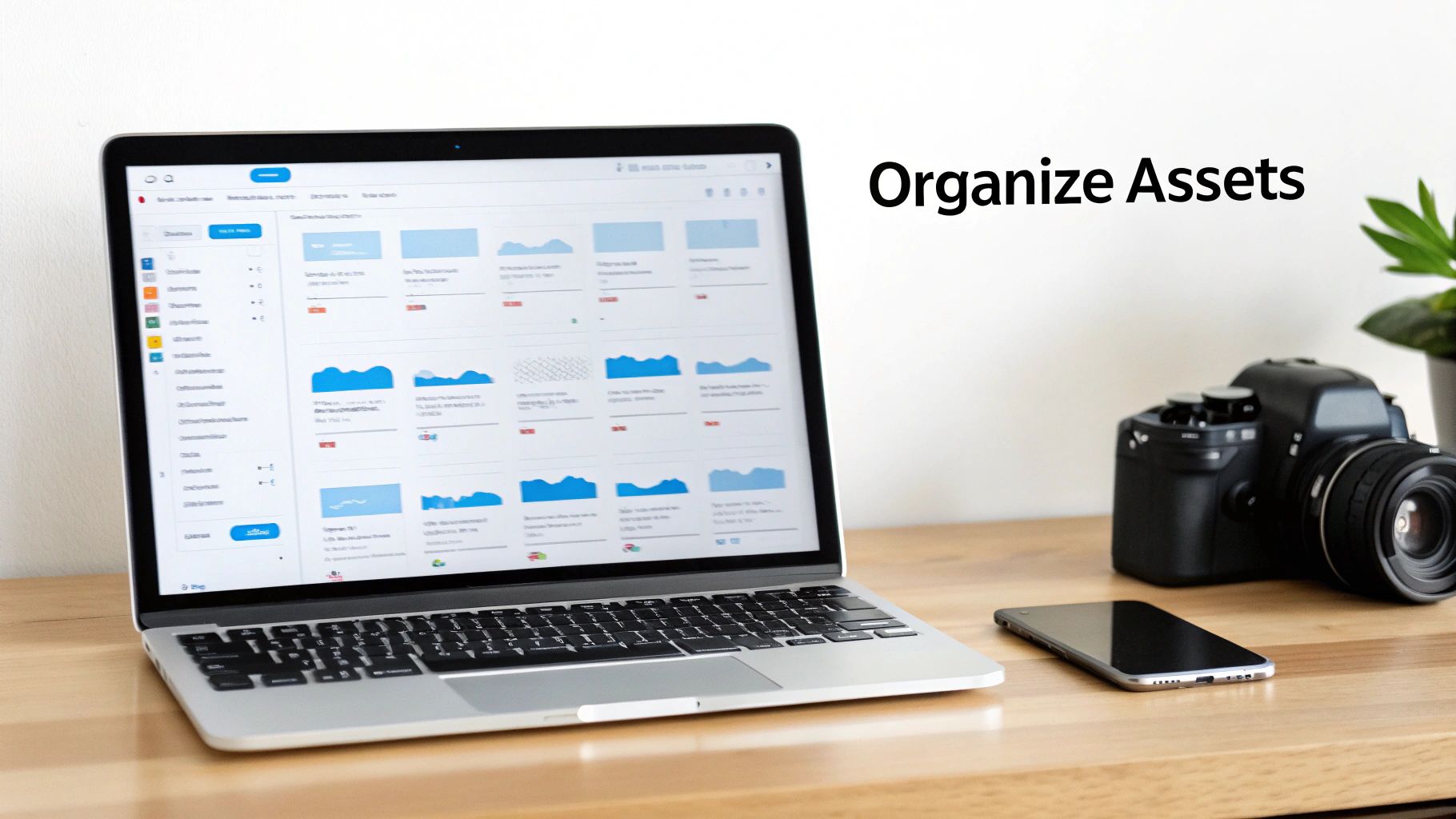
Centralization alone isn't enough; it must be paired with comprehensive metadata tagging. Metadata is simply data that describes your assets. By tagging files with relevant keywords like property address, agent name, listing date, architectural style (e.g., "mid-century modern"), and features ("ocean view," "remodeled kitchen"), you transform a simple folder into a powerful, searchable database. This is one of the most crucial digital asset management best practices because it directly impacts your team's efficiency and marketing agility.
How to Implement This Practice
A brokerage with over 50 agents, for example, could use a shared Google Drive with a strict folder structure organized first by year, then by property address. Within each property folder, subfolders for "Photos," "Videos," and "Documents" keep everything tidy. Each file is then tagged with metadata, allowing anyone to quickly search for all listings in a specific zip code or all properties with a swimming pool. For agents creating property tours, having well-organized assets is the first step toward producing high-quality content. Explore our guide for more insights on the best real estate video software to streamline your workflow.
Actionable Tips:
- Create a Standard: Develop and distribute a master document outlining your file naming conventions and required metadata tags to ensure consistency across the entire team.
- Leverage Software: Use the project naming features in tools like AgentPulse to embed key identifiers directly into exported filenames for easier tracking.
- Perform Regular Audits: Schedule a quarterly review of your asset library to archive outdated listing materials and maintain a clean, relevant database.
- Consider a DAM: For larger teams, a dedicated Digital Asset Management (DAM) platform like Canto or Frame.io can provide more advanced features for tagging, permissions, and workflow automation.
2. Optimize Video Assets for Multi-Platform Distribution
Effective video marketing goes beyond creating a single great clip; it requires tailoring that asset for every platform where your audience will see it. Simply uploading the same 16:9 landscape video to Instagram Stories, TikTok, and YouTube is a recipe for low engagement. Each platform has unique technical requirements and audience expectations for aspect ratio, duration, and style. Optimizing your video exports ensures your property tours and agent bios look professional and perform at their best everywhere.

This approach involves creating multiple versions of a core video asset, each designed for a specific destination. A full-length, high-resolution tour is perfect for an MLS listing or your website, while a fast-paced, 30-second vertical cut is ideal for grabbing attention on social media feeds. Mastering this process is a key element of digital asset management best practices, as it maximizes the return on your video production investment and significantly expands your marketing reach.
How to Implement This Practice
A brokerage marketing coordinator can take a single property video shoot and efficiently create assets for an entire week's worth of promotion. Using a tool like AgentPulse, they can batch-render multiple aspect ratios from one project: a 16:9 landscape version for YouTube and Zillow, a 1:1 square version for Facebook and Instagram grid posts, and a 9:16 portrait version for Stories and Reels. This transforms one piece of content into over a dozen targeted posts, all optimized for their intended platform. To dive deeper, explore our guide on effective real estate video marketing strategies.
Actionable Tips:
- Create a Platform Checklist: Document the ideal aspect ratio, duration, and file size for each channel you use (e.g., Instagram Reels: 9:16, under 60 seconds).
- Use Multi-Format Exports: Leverage tools like AgentPulse that offer multi-format rendering to generate portrait, square, and landscape versions in a single export cycle.
- Schedule Your Content: Use a social media scheduler like Buffer or Later to consistently publish your optimized videos across all platforms without daily manual effort.
- Monitor Analytics: Regularly check platform-specific analytics (like YouTube Studio or Instagram Insights) to see which video formats and lengths drive the most views and engagement.
3. Establish a Consistent Video Style Guide and Brand Guidelines
Your digital assets are more than just files; they are expressions of your brand. Establishing a documented video style guide ensures every property tour, agent intro, and neighborhood highlight reflects a consistent, professional identity. This goes beyond just adding a logo at the end; it dictates the entire mood and feel, from the choice of music and color grading to the style of cinematic motion and on-screen text.

When every video aligns with a defined standard, you build brand recognition and viewer trust. An audience should be able to recognize one of your videos before they even see your name. This consistency is a cornerstone of effective digital asset management best practices because it transforms individual assets into a cohesive and memorable marketing portfolio, reinforcing your brand's quality and market position with every view.
How to Implement This Practice
A luxury real estate agency can create a powerful brand identity by mandating that all listing videos use high-energy orchestral music, slow-motion parallax pans for interior shots, and gold-accented graphics for text overlays. Conversely, an Airbnb host might adopt a "relaxed vibes" brand using lo-fi music, warm color grading, and a consistent intro text like "Welcome to [Property Name]." The key is documenting these choices so every video produced, regardless of the property or agent, adheres to the same high-quality standard.
Actionable Tips:
- Create a Guideline Document: Develop a simple, one-page brand guide that specifies music mood (e.g., upbeat, cinematic, calm), motion intensity, and logo placement rules.
- Build Curated Playlists: Inside your video software, create playlists of pre-approved music tracks that align with different property types, such as a "Luxury" playlist or a "Family-Friendly" playlist, to streamline production.
- Use Project Presets: Leverage features in tools like AgentPulse to create project presets that automatically apply your preferred motion styles, music choices, and branding elements to new projects.
- Conduct Quarterly Reviews: Briefly review 5-10 recently created videos each quarter to ensure the guidelines are being followed and identify any needed updates based on market shifts or brand evolution.
4. Implement Version Control, Audit Trails, and Backup/Disaster Recovery
Beyond organizing your files, a mature digital asset strategy must protect them and track their history. This involves a three-part approach: version control to manage edits, audit trails to log activity, and a robust backup system to prevent data loss. This practice provides accountability by showing who touched a file and when, simplifies compliance, and ensures business continuity if a hard drive fails or a file is accidentally deleted.
This combined strategy is a cornerstone of professional digital asset management best practices, transforming your library from a simple storage folder into a secure, accountable system. For a large brokerage, it means knowing exactly which agent requested a video edit, who approved the final cut, and when it was published to the MLS. This level of tracking is invaluable for resolving disputes, managing client approvals, and maintaining brand consistency across all marketing channels.
How to Implement This Practice
A property management company can use this to track edits to rental unit videos, ensuring all versions comply with fair housing standards. They could use a cloud service like Dropbox Business, which automatically saves version histories of files. An audit trail, even a simple spreadsheet, can log when each video was approved and published, creating a verifiable record for compliance. This is paired with automated daily backups to a separate cloud provider like Backblaze, ensuring no single point of failure.
Actionable Tips:
- Name for Versioning: Adopt naming conventions that embed version info, like
123MainSt_Video_v2_Final_2024-05-10.mp4. - Create an Audit Log: Use a simple Google Sheet or Airtable base to log asset exports, noting the property, date, format, and destination platform.
- Establish Approval Workflows: Define a clear process, such as an agent submitting photos, a marketing coordinator rendering a video, and a manager providing final approval before publication.
- Implement the 3-2-1 Rule: Keep three copies of your data on two different media types, with one copy stored off-site. For example, your primary files on your computer, a backup on an external hard drive, and a third copy in the cloud.
- Test Your Recovery Plan: At least quarterly, practice restoring a deleted file from your backup to ensure the system works as expected.
5. Optimize Asset File Sizes and Delivery for Fast Loading and Reduced Bandwidth
In a mobile-first world, a stunning 4K property tour is useless if it takes too long to load or consumes an entire data plan. Optimizing your digital assets, particularly video, means striking the perfect balance between visual quality and file size. This practice ensures your listings load quickly and play smoothly across all devices and internet connections, which is crucial for retaining viewer attention on fast-scrolling social media feeds and property portals.
This process involves choosing the right video codecs (like H.264), bitrates, and resolutions to deliver beautiful visuals without the excessive file bloat that leads to buffering. A viewer who experiences a stuttering video is likely to abandon it within seconds, costing you a potential lead. Mastering this aspect of digital asset management best practices ensures your high-quality marketing content is actually seen and appreciated by your target audience.
How to Implement This Practice
Consider an agent marketing a property in a rural area with inconsistent internet service. Instead of uploading a massive 4K video, they optimize a version to 720p or 1080p, ensuring potential buyers in the local community can watch it without interruption. Similarly, a national brokerage uploading thousands of videos to the MLS can use a standardized H.264 export to minimize server storage costs and ensure compatibility across the platform. The goal is to match the asset's technical specifications to the platform and the end-user's likely viewing environment.
Actionable Tips:
- Establish Platform Standards: Default to 1080p using the H.264 codec for primary platforms like YouTube and MLS listings. Use a 720p version for social media Stories and mobile-first feeds.
- Test on Different Networks: Before publishing, test your video and image load times on both Wi-Fi and cellular connections (4G/5G) to simulate real-world user experiences.
- Use Smart Export Presets: Tools like AgentPulse offer standard export settings (720p–1080p) that serve as a great starting point. Create presets for your most common platforms to streamline your workflow.
- Monitor Analytics: If your platform provides it, check video analytics for high drop-off rates at the beginning of a video, which can be a strong indicator of buffering problems.
6. Establish Metadata Standards and Searchability for Rapid Asset Retrieval
While a centralized library is the first step, comprehensive metadata is what truly unlocks its power. Metadata, the data that describes your assets, transforms a chaotic digital folder into a highly organized and queryable resource. By embedding key details like property addresses, agent names, creation dates, and specific features into each file, you eliminate time-consuming manual searches and enable instant, powerful filtering. This practice is essential for any real estate professional looking to operate at scale.
Think of metadata as the digital equivalent of a hyper-detailed filing system. It allows you to perform complex searches with ease, such as "find all waterfront properties from Q4 2023 in portrait format" or "show all 2-bedroom apartment videos rendered in 2024." Implementing this level of detail is one of the most impactful digital asset management best practices because it converts your asset library from a passive storage unit into an active marketing intelligence tool, allowing you to find and repurpose your best-performing content in seconds.
How to Implement This Practice
A large brokerage can implement a metadata schema where every video asset must include the property ID, agent name, and render date. Optional fields could include keywords like "downtown view" or "newly renovated" and even performance metrics. This allows the marketing team to quickly pull all assets from a top-performing agent or all videos featuring a specific high-value feature for a new campaign. This organized approach is particularly crucial when preparing assets for video creation, as having all necessary information readily available streamlines the entire production workflow.
Actionable Tips:
- Define Your Schema: Create a clear document outlining which metadata fields are required (e.g., Property ID, Agent Name) and which are optional (e.g., Keywords, Performance Data) to ensure consistency.
- Automate with Naming Conventions: Use AgentPulse’s project naming feature to embed key metadata directly into filenames, such as
123-Elm-St_John-Doe_2024-10-26_1080p.mp4. - Tag Immediately: Add tags and descriptions to assets right after they are created or rendered, while the project details are still fresh in your mind.
- Conduct Quarterly Audits: Regularly review your metadata to clean up inconsistencies, remove outdated tags, and ensure the system remains accurate and efficient.
7. Monitor, Analyze, and Report on Asset Performance and ROI
Your digital asset management strategy doesn't end once content is published; its true value is realized when you measure its impact. Tracking how your photos and videos perform across platforms like Zillow, Instagram, and YouTube provides the data-driven insights needed to refine your marketing efforts. By analyzing views, engagement, clicks, and conversions to inquiries or showings, you can transform content creation from a cost center into a measurable, optimizable marketing channel.

This practice allows you to understand what truly resonates with potential buyers and renters. You can stop guessing and start making informed decisions about which asset types, styles, and distribution channels deliver the best return on investment. Implementing this level of analysis is one of the most advanced digital asset management best practices, separating top-performing agents from the rest by ensuring every piece of content serves a strategic purpose.
How to Implement This Practice
A brokerage can analyze its last 50 listings and discover that properties marketed with cinematic portrait-style videos average an 8% engagement rate on social media, compared to just 4% for standard landscape videos. This data justifies allocating more resources to creating vertical video formats specifically for platforms like Instagram Reels and TikTok. Similarly, an agent might discover that 30-second highlight reels generate three times more lead inquiries than longer, two-minute virtual tours, prompting a shift in their video production strategy.
Actionable Tips:
- Establish a Baseline: For your first 10-20 videos, track platform analytics closely to identify patterns in views, likes, and comments, creating a performance benchmark.
- Create a Dashboard: Use a simple Google Sheet or a more advanced tool to log video name, platform, publish date, views, engagement rate, and inquiries generated.
- Track to Closing: Connect asset performance to business outcomes by noting which videos led to showing requests and, ultimately, a closed sale to calculate true ROI.
- A/B Test Variations: Render two versions of a property video with different music or call-to-action text to measure which one performs better, then apply those learnings.
8. Implement Rights Management and Licensing Compliance for Music, Images, and Branding
Every asset you use, from a background music track in a property tour to a stock photo in a flyer, carries licensing terms. Ignoring these terms can lead to copyright claims, platform takedowns, and costly legal disputes. Effective rights management involves tracking and adhering to the usage permissions for every single digital asset, ensuring you are legally protected when promoting listings across multiple platforms.
This practice is non-negotiable for real estate professionals who monetize content on platforms like YouTube or run extensive paid ad campaigns. Proactively managing licenses is a core component of digital asset management best practices, protecting your brand's reputation and bottom line. It transforms a potential legal liability into a controlled, compliant part of your marketing workflow.
How to Implement This Practice
A luxury brokerage could maintain a central spreadsheet that documents every licensed asset. For each property video, it would list the music track source (e.g., AgentPulse library), the license type (royalty-free), and the platforms where it's approved for use. Similarly, for professional photos, it would track the photographer’s contract details, usage rights, and any expiration dates, ensuring full compliance with client and vendor agreements.
Actionable Tips:
- Use Cleared Libraries: Leverage AgentPulse's built-in royalty-free music library, which is pre-cleared for all commercial uses, to eliminate music licensing headaches entirely.
- Create a Licensing Checklist: For every project, document the music source, image sources, agent/brand approvals, and intended platforms (MLS, YouTube, etc.) before publishing.
- Maintain Proof: Keep screenshots or PDF copies of license documents for every stock photo, graphic, and music track used in your marketing materials.
- Conduct Quarterly Audits: Regularly review your video and content library to ensure all licenses are still valid and compliant with evolving platform terms of service.
9. Establish a Workflow and Automation Strategy to Scale Asset Production
As your real estate business grows and you handle more listings, manual asset creation becomes a significant bottleneck. A sound automation strategy is one of the most impactful digital asset management best practices for scaling your marketing efforts. This involves identifying and automating repetitive tasks like batch rendering videos, applying consistent metadata, and scheduling social media posts, allowing you to produce more high-quality content without a proportional increase in manual work.
This approach transforms your asset pipeline from a series of manual, time-consuming steps into a streamlined, efficient system. Instead of rendering, downloading, and posting one video at a time, you can process dozens of properties in batches. This not only saves hundreds of hours annually but also ensures brand consistency and a steady flow of marketing content across all your channels.
How to Implement This Practice
A brokerage handling over 100 properties a year can create a powerful automated workflow. For example, a photographer uploads a batch of 20 property photo sets to a specific cloud folder. This action triggers an automation that sends the assets to a tool like AgentPulse to render all 20 videos overnight with consistent branding. The completed videos are then automatically exported to another folder, sorted by property address, and a notification is sent to the marketing team to schedule them for social media distribution. To efficiently scale asset production and management, consider leveraging process automation services to streamline your workflows.
Actionable Tips:
- Map Your Workflow: Before automating, manually create 5–10 videos to map every step. This helps identify the most repetitive tasks and biggest time-sinks ripe for optimization.
- Batch Your Renders: Establish a weekly schedule, such as rendering all of the previous week's photo uploads every Monday morning. This creates a predictable and efficient production cycle.
- Automate Exports: Use a platform’s multi-format export feature to generate landscape, square, and portrait versions of each video in a single render cycle, preparing them for every platform at once.
- Integrate with Schedulers: Connect your video creation tools with social media schedulers like Buffer or Later to queue up a week or two of content in advance, ensuring consistent posting. You can discover more about the best AI video creation tools to find platforms that support these integrations.
10. Foster Team Collaboration and Clear Communication Around Asset Lifecycle and Approval Workflows
Digital asset management extends beyond just storing files; it involves managing the entire lifecycle of an asset from creation to publication. For teams involving agents, photographers, marketing coordinators, and brokers, a lack of clear communication about where an asset is in the approval process can lead to missed deadlines, wasted effort, and inconsistent branding. Implementing a structured workflow ensures everyone knows the status of an asset and who is responsible for the next step.
This approach transforms asset management from a chaotic free-for-all into a predictable, efficient system. By defining explicit stages like "Pending Review," "Revisions Requested," and "Approved for MLS," you eliminate guesswork and create accountability. This is one of the most critical digital asset management best practices for collaborative teams, as it directly impacts speed to market and the quality of your final marketing materials.
How to Implement This Practice
A large brokerage can use a project management tool like Asana or a shared Airtable base to track assets. A typical workflow might look like this: an agent uploads new property photos, which automatically creates a task for the marketing coordinator to render a video. Once rendered, the task moves to the managing broker for a 1-day review. After approval, the status changes to "Ready for Publishing," signaling that the social media manager can schedule the posts. This visibility prevents bottlenecks and ensures a smooth handoff between team members.
Actionable Tips:
- Map Your Workflow: Create a simple, one-page diagram illustrating the asset lifecycle from photo submission to final publication. Clearly define each stage, the owner, and the expected turnaround time.
- Use Status Trackers: Implement a shared spreadsheet or project management board to log asset status. Include columns for property name, status (e.g., Rendering, In Review, Approved), owner, and key dates.
- Define SLAs: Establish clear Service Level Agreements (SLAs) to set expectations. For example, "Photos submitted by Monday will be approved for publishing by Wednesday."
- Hold Quick Syncs: Conduct brief weekly meetings to review the workflow, address any stuck assets, and celebrate successful launches. This keeps communication open and the process moving.
Digital Asset Management: 10 Best Practices Comparison
| Item | Implementation Complexity 🔄 | Resource Requirements ⚡ | Expected Outcomes 📊 | Ideal Use Cases 💡 | Key Advantages ⭐ |
|---|---|---|---|---|---|
| Implement Centralized Asset Organization and Metadata Tagging | Medium — initial setup + regular audits 🔄 | Moderate — cloud/DAM, storage, training ⚡ | Faster retrieval, streamlined repurposing; improved compliance 📊 | Brokerages managing 50+ agents or multi-listing campaigns 💡 | Reduces search time; enables rapid campaigns and team collaboration ⭐ |
| Optimize Video Assets for Multi-Platform Distribution | Medium–High — keep up with platform specs 🔄 | Moderate — export tools, templates, testing devices ⚡ | Higher completion & engagement; fewer playback issues 📊 | Agents posting across Instagram, TikTok, YouTube, MLS 💡 | Maximizes reach and platform performance; avoids rejections ⭐ |
| Establish a Consistent Video Style Guide and Brand Guidelines | Medium — documentation + team buy-in 🔄 | Low–Moderate — presets, music library, brand assets ⚡ | Stronger brand recognition and production efficiency 📊 | Franchises, luxury agencies, teams seeking cohesive identity 💡 | Builds trust, streamlines creative decisions, differentiates brand ⭐ |
| Implement Version Control, Audit Trails, and Backup/Disaster Recovery | High — policies, tooling, recovery procedures 🔄 | High — redundant storage, backup tools, admin overhead ⚡ | Accountability, fast rollback, business continuity 📊 | Large brokerages, compliance-sensitive organizations 💡 | Protects assets, supports audits, minimizes downtime ⭐ |
| Optimize Asset File Sizes and Delivery for Fast Loading | Medium — codec/bitrate choices and testing 🔄 | Low–Moderate — encoding tools, bandwidth monitoring ⚡ | Faster load times, lower bandwidth costs, better mobile UX 📊 | Rural/mobile audiences, high-volume uploads to MLS/social 💡 | Improves UX and platform ranking; reduces delivery costs ⭐ |
| Establish Metadata Standards and Searchability for Rapid Retrieval | Medium — schema design + tagging discipline 🔄 | Moderate — tagging time, DAM/Airtable, search tools ⚡ | Instant search/filtering; enables batch operations and insights 📊 | Large libraries, multi-location brokerages, property managers 💡 | Dramatically reduces search time; supports analytics and automation ⭐ |
| Monitor, Analyze, and Report on Asset Performance and ROI | Medium–High — integrations + analytics capability 🔄 | Moderate–High — dashboards, analyst time, platform APIs ⚡ | Data-driven optimization; justified marketing spend; trend discovery 📊 | Teams focused on ROI and content optimization 💡 | Identifies top performers; informs strategy and budget allocation ⭐ |
| Implement Rights Management and Licensing Compliance | Medium — tracking + documentation 🔄 | Low–Moderate — license purchases, tracking system ⚡ | Eliminates takedown risk; legal protection and compliance 📊 | Monetized content, heavy promotion, franchised brands 💡 | Prevents copyright issues; ensures safe multi-platform publishing ⭐ |
| Establish a Workflow and Automation Strategy to Scale Asset Production | High — workflow design, integrations, testing 🔄 | High — automation tools, APIs, templates, training ⚡ | Scales output without proportional headcount; consistent turnaround 📊 | Organizations producing 20+ listings/week or 100+ annually 💡 | Batch rendering and scheduling reduce manual effort and errors ⭐ |
| Foster Team Collaboration and Clear Approval Workflows | Medium — process mapping + tool adoption 🔄 | Moderate — PM/collab tools, notifications, SLAs ⚡ | Fewer bottlenecks, faster time-to-market, clearer accountability 📊 | Brokerages and agencies with distributed stakeholders 💡 | Prevents duplicated work; ensures predictable approvals and quality ⭐ |
From Clutter to Clarity: Your Path to Mastering Digital Assets
Navigating the complexities of digital asset management can feel like a monumental task, but the journey from chaos to control is built one step at a time. Throughout this guide, we have explored a comprehensive checklist of actionable strategies, moving from foundational principles like centralized organization and consistent file naming to advanced tactics like automated workflows and performance analytics. The core message is simple: establishing a system for your digital assets is no longer a luxury, but a fundamental requirement for a successful modern real estate business.
Implementing these digital asset management best practices is not about achieving perfection overnight. It is about committing to a process of continuous improvement. The initial effort you invest in creating a standardized folder structure, defining your metadata schema, or setting up version control will pay for itself many times over. You will reclaim countless hours previously lost searching for files, ensure every piece of marketing material is brand-consistent, and gain the agility to respond to market opportunities with speed and precision.
Key Takeaways for Immediate Impact
To start your journey, focus on the areas that will provide the most significant immediate relief. Consider these as your primary takeaways:
- Consistency is Your Cornerstone: A consistent approach to everything, from file naming conventions (
YYYY-MM-DD_PropertyName_AssetType_Version) to your brand style guide, is the single most powerful tool for eliminating confusion and building a recognizable brand. - Metadata is Your Search Engine: Proper tagging and metadata are not administrative busywork. They are the engine that powers your ability to find the exact photo, video clip, or floor plan you need in seconds, rather than minutes or hours.
- Automation is Your Scalability Plan: You cannot manually scale your marketing efforts indefinitely. By embracing automation for tasks like video rendering, social media exporting, and asset distribution, you free up your team to focus on high-value activities like client engagement and lead generation.
Turning Strategy into Action
The true value of this guide lies not in reading it, but in implementing its advice. The transition from theory to practice begins with a single, manageable step. Do not try to overhaul your entire system at once. Instead, pick one pain point and resolve it this week.
Perhaps you start by creating a definitive brand style guide that outlines your official logos, color palettes, and fonts. Or maybe you dedicate an afternoon to establishing a logical, scalable folder structure for all future property listings. Each small victory builds momentum, transforming a daunting project into a series of achievable tasks. This methodical approach ensures that your new asset management system is built on a solid foundation, ready to support your business as it grows.
Ultimately, mastering your digital assets is about creating a predictable, efficient, and powerful marketing machine. It is about ensuring every photo, video, and document works for you, driving engagement and reinforcing your professional reputation. By adopting these digital asset management best practices, you are not just organizing files; you are building a strategic advantage that will set you apart in a competitive marketplace. You are moving from a state of digital clutter to one of professional clarity, where your most valuable marketing resources are always ready to be deployed for maximum impact.
Ready to put these principles into practice with powerful automation? AgentPulse is designed to solve the biggest video asset management challenges for real estate professionals. It streamlines the creation and distribution of stunning property videos, ensuring your assets are always optimized and ready for every platform, from social media to the MLS. Experience the future of real estate marketing with AgentPulse today.