
In today's fast-paced social media landscape, creating engaging vertical video is non-negotiable. Reels dominate platforms like Instagram and TikTok, driving reach and engagement far beyond static posts. But not all video apps are created equal. Finding the best app to make a reel depends entirely on your specific needs, whether you're a real estate agent needing to animate listing photos, a small business owner creating quick promos, or a creator demanding professional-grade control on the go. The right tool can be the difference between a video that gets ignored and one that generates leads.
This guide cuts through the noise to provide an in-depth analysis of 12 leading apps, focusing on the features that truly matter: ease of use, export quality, pricing, and specialized workflows like transforming photos into dynamic, 3D-aware videos. We'll explore who each app is for, what it does best, and its limitations, so you can choose the perfect tool to elevate your content strategy without a steep learning curve. Each review includes direct links and practical insights to help you make a confident decision.
The principles behind creating great Reels often overlap with other short-form video formats. Understanding the tools popular on other platforms can offer a strategic advantage, as many features are transferable. Considering the growing importance of short-form content, understanding the top 12 best video editing apps for TikTok can provide valuable insights for creating engaging reels across all social media platforms. Now, let's dive into the apps that will help you create standout vertical video content.
1. CapCut
CapCut is a powerhouse for creating social-media-native video, making it a contender for the best app to make a reel if you're comfortable with a traditional timeline editor. Developed by the same parent company as TikTok, it’s designed from the ground up to produce trendy, engaging vertical video quickly. Its cross-platform availability on web, desktop, and mobile means you can start a project on your phone and finish it on your computer.
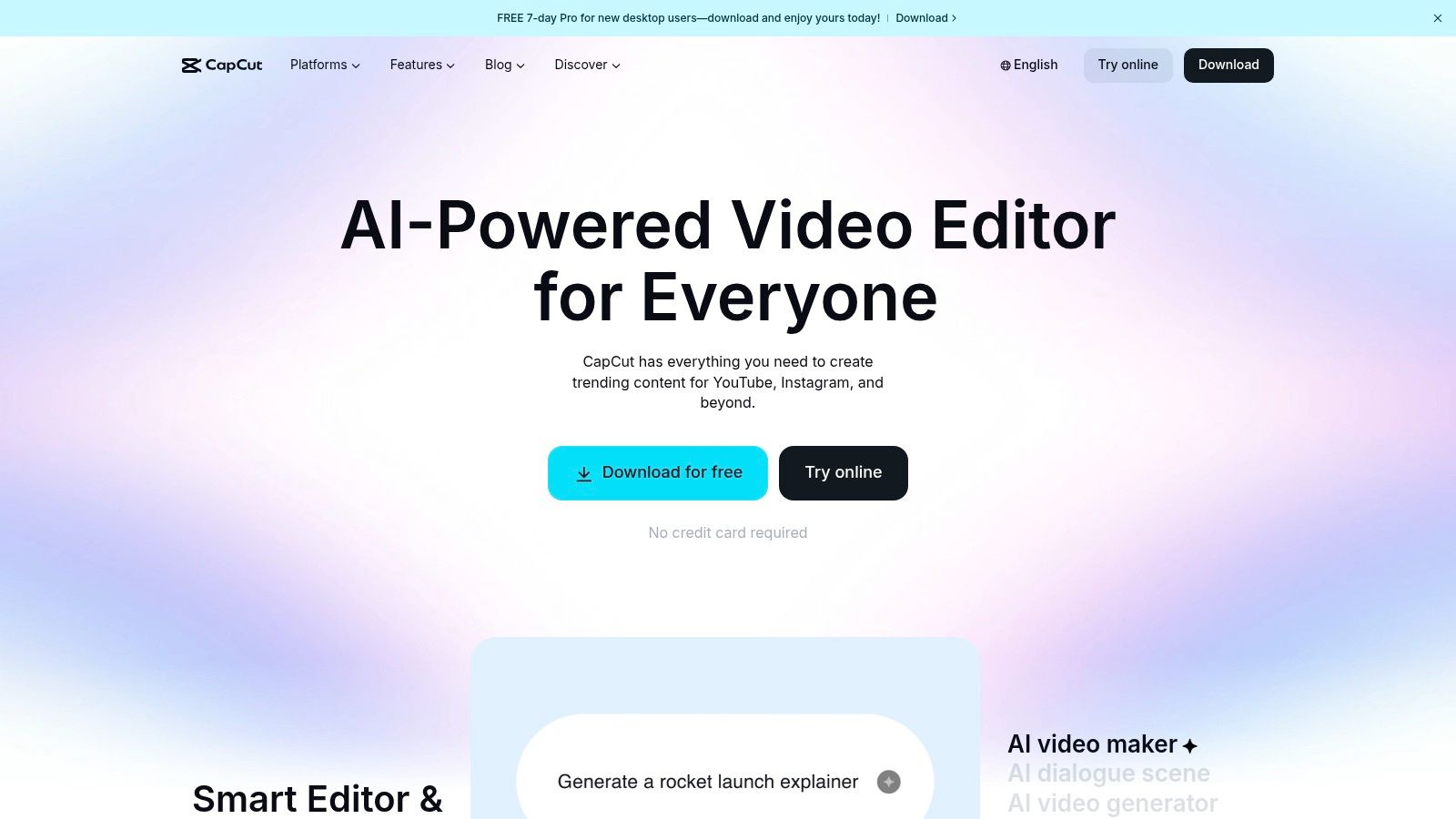
The platform excels with its vast library of templates, effects, licensed sounds, and AI-powered tools that automate tedious tasks. For real estate agents, this means you can quickly drop listing clips into a trending template, use the AI captioning for accessible text overlays, and export a polished reel in minutes. The seamless integration with TikTok and Instagram formats removes the guesswork from export settings.
Key Features & User Experience
CapCut offers a surprisingly robust free version that will meet most users' needs. The interface is intuitive, especially for those familiar with other video editing software, making it a solid choice if you're exploring the best video editing software for beginners.
| Feature | Details |
|---|---|
| Templates & Assets | Massive library of trending templates, effects, transitions, and sounds. |
| AI Tools | Auto-captions, background removal, and text-to-speech. |
| Cross-Platform Sync | Work across web, desktop, and mobile apps seamlessly. |
| Pricing | Capable free tier; Pro version unlocks advanced effects and cloud storage. |
Pros:
- Speed: Template-driven workflows are incredibly fast for creating trend-focused content.
- Accessibility: The free version is powerful enough for most basic and intermediate editing tasks.
- Integration: Natively built for TikTok and Instagram Reels formats.
Cons:
- Subscription Issues: Some users report confusion over Pro pricing tiers and difficulties with cancellation.
- No 3D Photo Animation: Lacks specialized tools for creating parallax or 3D motion effects from still photos.
Website: https://www.capcut.com
2. Adobe Premiere (mobile/iPhone)
For creators who want professional-level control in a mobile package, Adobe Premiere’s new iPhone app is a powerful contender for the best app to make a reel. Designed to eventually replace Premiere Rush, this app brings a streamlined, multi-track editing timeline to your phone, giving you granular control over video clips, audio, and graphics. It’s aimed squarely at users who find template-based apps too restrictive and want to build a reel from scratch with a familiar, pro-level workflow.
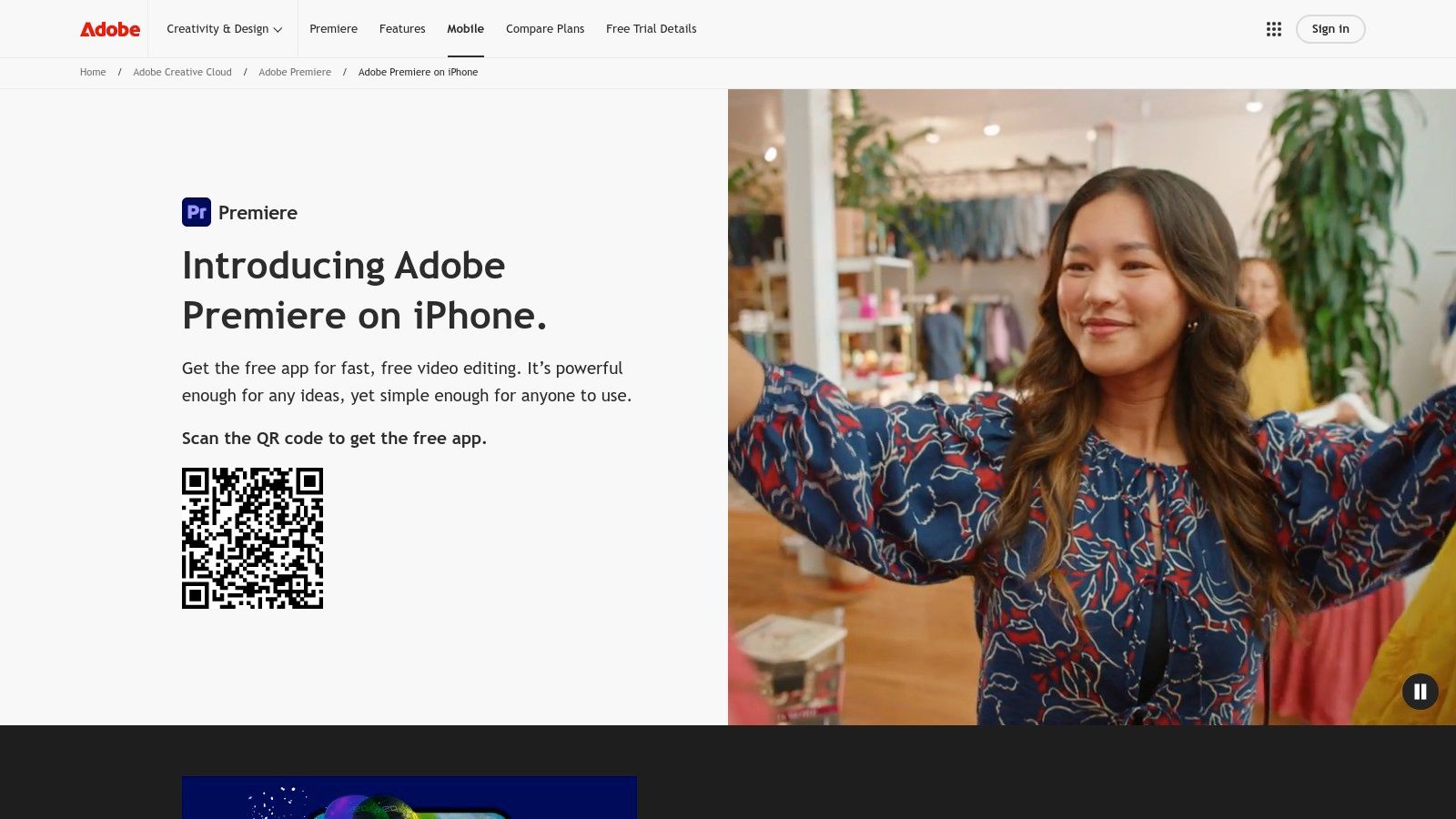
The app integrates Adobe's powerful AI features, like Enhance Speech for cleaning up noisy audio from a property tour, directly into the mobile interface. For real estate professionals, this means you can combine video clips of a home, add a voiceover recorded on-site, and apply AI-powered audio sweetening for a crisp, clear final product. Optimized export presets for Instagram, TikTok, and YouTube Shorts ensure your video looks perfect on every platform, a crucial step when you're creating a real estate reel to capture leads.
Key Features & User Experience
Adobe Premiere (mobile) offers a fluid and responsive interface that feels like a modern extension of its desktop counterpart. The core editing functions are free to use, with a clear upgrade path for users needing more cloud storage or advanced AI features.
| Feature | Details |
|---|---|
| Pro Timeline | Fast, multi-track timeline for precise control over video and audio layers. |
| AI Audio Tools | Enhance Speech feature cleans up background noise for clear voiceovers. |
| Optimized Exports | Simple presets for exporting directly to Instagram Reels and other vertical formats. |
| Pricing | Core app is free; Creative Cloud subscription adds storage and AI credits. |
Pros:
- Professional Workflow: A modern Adobe interface that allows for handoff to the desktop Premiere Pro app.
- Accessible Power: The free version includes essential professional tools without an immediate paywall.
- High-Quality Output: Delivers clean, polished videos optimized for social media feeds.
Cons:
- Platform Limitation: Currently available only for iPhone users, limiting access for Android creators.
- Product Transition: The discontinuation of Premiere Rush may cause confusion or require migration for existing users.
Website: https://www.adobe.com/products/premiere-rush.html
3. Adobe Express
Adobe Express is an all-in-one design and video tool that serves as a strong candidate for the best app to make a reel for those who prioritize branding and scheduling. It leverages Adobe's powerful creative ecosystem, packaging it into a template-first platform perfect for creating branded vertical videos and managing a social media calendar. For real estate professionals, this means you can design a reel, apply your brand kit, and schedule it to post all within a single application.
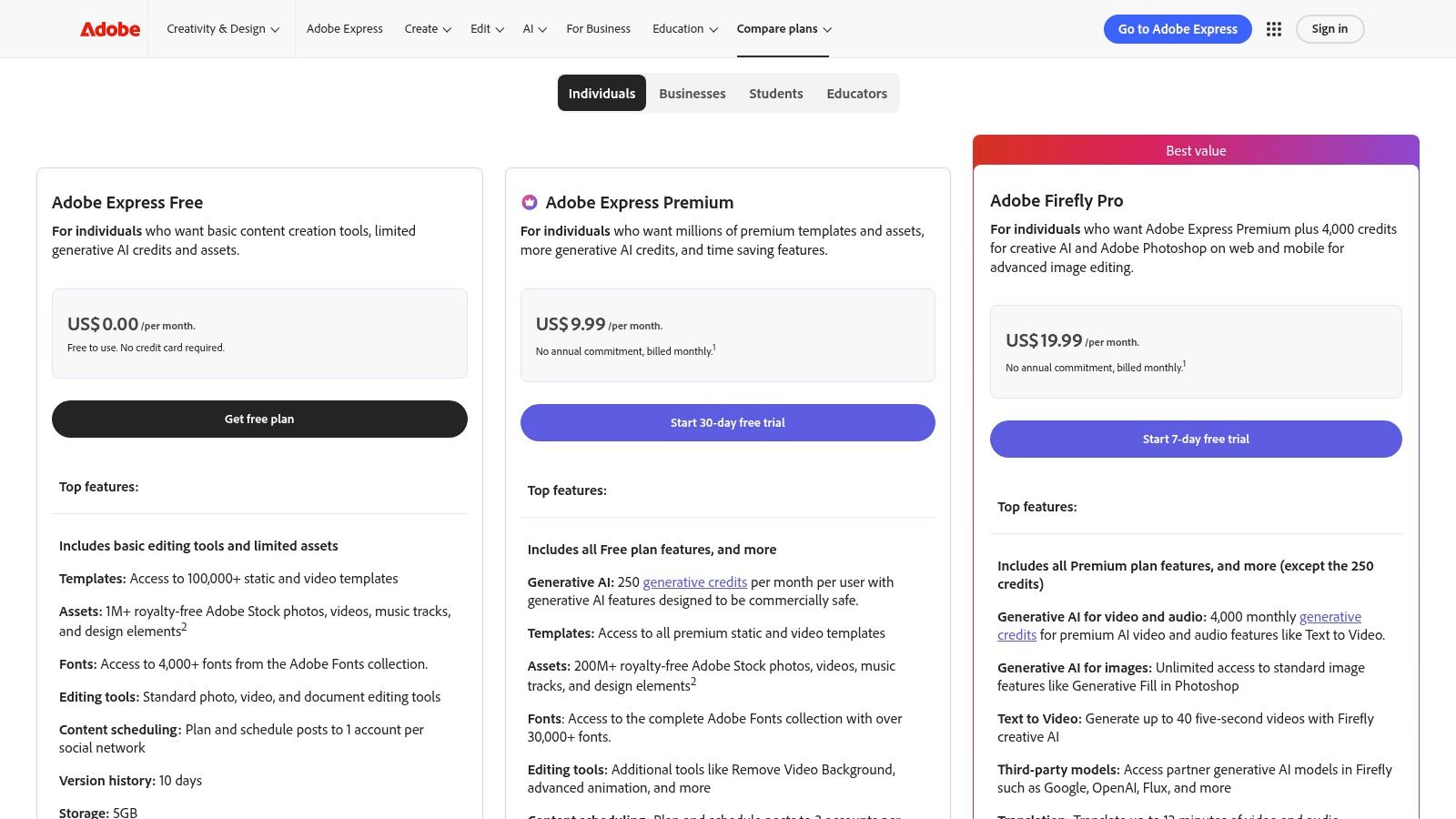
The platform shines with its massive library of over 220,000 video and static templates, extensive stock media access, and growing generative AI features. Its integrated content scheduler is a significant advantage, allowing you to create your real estate reels and plan your content weeks in advance. Presets for Reels and Shorts ensure your exports are always perfectly formatted.
Key Features & User Experience
Adobe Express simplifies content creation with a user-friendly, drag-and-drop interface. The ability to establish a brand kit (logos, colors, fonts) and apply it to any template with one click is a major time-saver for maintaining a consistent online presence.
| Feature | Details |
|---|---|
| Templates & Assets | 220k+ video/static templates, plus access to Adobe Stock assets. |
| AI Tools | Remove video background, animate from audio, and generative AI credits. |
| All-in-One Workflow | Create, edit, and schedule social media content from one dashboard. |
| Pricing | Free plan with basic features; Premium unlocks brand kits and more assets. |
Pros:
- Integrated Workflow: The only tool on this list that combines creation, editing, and direct social media scheduling.
- Brand Consistency: Brand Kit feature makes it incredibly easy to apply consistent branding across all video content.
- Affordability: The Premium plan is a cost-effective entry point into the Adobe creative suite.
Cons:
- Credit-Based AI: Advanced AI and video generation features are limited by a credit system.
- Enterprise Gating: Some of the most powerful collaboration features are reserved for higher-tier business plans.
Website: https://www.adobe.com/express/pricing
4. Canva
Canva is a design-world titan that has evolved into a formidable tool for creating polished social media videos, making it a top choice for the best app to make a reel if you prioritize speed and brand consistency. Known for its user-friendly, template-driven approach, Canva allows anyone to produce professional-looking vertical video content without any prior editing experience. Its strength lies in its massive library of assets and templates, which are perfectly suited for teams managing a content calendar.
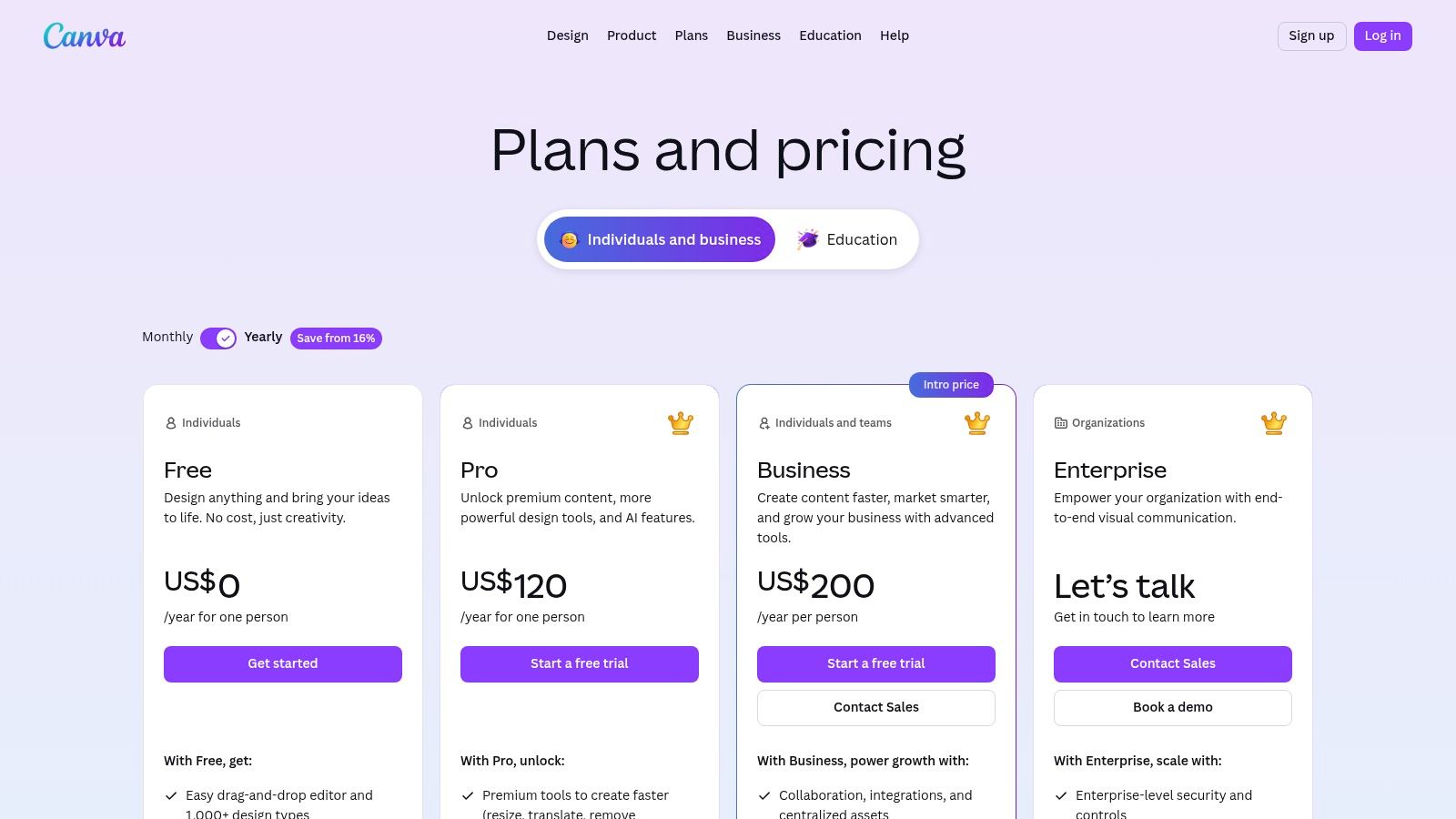
For real estate agents and marketing teams, Canva streamlines the process of creating reels for property announcements, market updates, or client testimonials. You can leverage its Brand Kit feature to ensure every video aligns with your brokerage's colors and fonts, and its social scheduling tools allow you to plan and publish content directly to Instagram. The Magic Resize tool makes it easy to repurpose a single design for multiple platforms instantly.
Key Features & User Experience
Canva’s interface is exceptionally intuitive, designed for non-editors who need to create high-quality content quickly. Its drag-and-drop functionality and extensive template library remove creative blocks, while the Pro version unlocks a vast collection of stock photos, videos, and audio. It's a great platform to consider if you're looking for a comprehensive real estate video app that handles more than just video.
| Feature | Details |
|---|---|
| Templates & Assets | Huge library of video templates, stock media, and design elements. |
| Brand Tools | Brand Kits for color/font consistency; Magic Resize for social formats. |
| Collaboration | Real-time team collaboration, commenting, and approval workflows. |
| Pricing | Robust free tier; Pro and Teams plans unlock premium assets and features. |
Pros:
- Ease of Use: Incredibly fast and easy to produce polished vertical videos with a massive asset library.
- Team Workflows: Strong collaboration features, brand management, and social scheduling tools.
- Versatility: An all-in-one platform for graphics, presentations, and video creation.
Cons:
- Price Increases: Teams pricing has increased, with plan details and features varying by region.
- Limited Motion Control: Lacks the advanced 3D motion or parallax effects for dynamic photo animations found in specialized apps.
Website: https://www.canva.com/pricing
5. InShot
InShot is a long-standing favorite in the mobile video editing space and remains a solid choice for creating quick, straightforward Reels directly on your phone. It’s a versatile tool that handles fundamental editing tasks like trimming, splitting, and merging clips with ease. Its strength lies in its simplicity and mobile-native design, making it the best app to make a reel for creators who prioritize speed and on-the-go editing without needing complex desktop software.
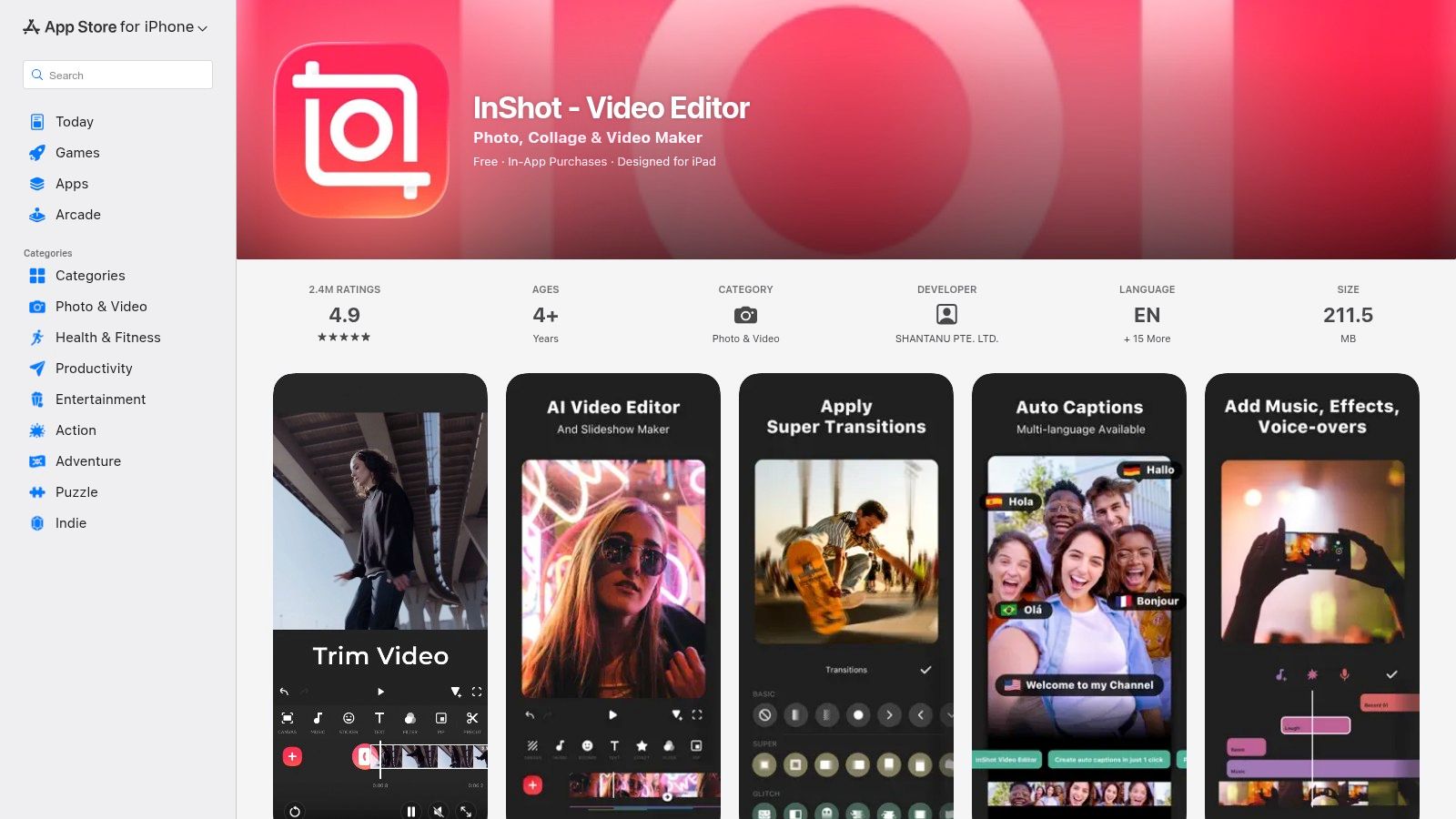
For real estate agents, InShot is perfect for quickly compiling a few video clips from a property tour, adding a background track, placing text overlays, and exporting directly in the correct format for Instagram. The app’s intuitive canvas and ratio presets ensure your final video is perfectly sized for the vertical feed, eliminating any cropping or resizing headaches. It's a reliable workhorse for basic video assembly.
Key Features & User Experience
InShot's interface is clean and user-friendly, presenting all essential tools in a way that is immediately understandable for new users. The learning curve is minimal, allowing agents to produce content rapidly without getting bogged down in technical settings.
| Feature | Details |
|---|---|
| Editing Essentials | Trim, split, speed control, filters, effects, stickers, and music library. |
| Canvas & Ratio Presets | Easily select presets for Instagram Reels, TikTok, and other platforms. |
| Mobile-First UX | Simple, touch-friendly interface designed for rapid edits on a smartphone. |
| Pricing | Free with watermark and ads; inexpensive Pro subscription removes limits. |
Pros:
- Simple Learning Curve: Extremely easy for beginners to pick up and start editing immediately.
- Cost-Effective: Inexpensive subscription options and occasional lifetime purchase offers provide great value.
- All-in-One Mobile Tool: A reliable editor for basic video, photo, and collage tasks in one app.
Cons:
- Watermark/Ads in Free Version: The free experience is limited by a watermark and advertisements.
- Purchase & Restore Issues: Some users report occasional difficulties restoring purchases or inconsistencies with lifetime offer availability across regions.
Website: https://apps.apple.com/us/app/inshot-video-editor-music-no-crop-cut/id997362197
6. KineMaster
KineMaster is a sophisticated mobile video editor that provides a level of control typically found in desktop software, making it a strong candidate for the best app to make a reel for creators who want to move beyond templates. It offers a multi-layer timeline, allowing users to precisely combine video, images, text, and effects. This non-linear approach is ideal for real estate agents who need to craft a specific narrative for a property tour, rather than just dropping clips into a pre-made sequence.
The app's power lies in its advanced features like chroma key for green screen effects and keyframe animation for granular control over motion. For example, a real estate professional could use keyframes to smoothly pan across a still photo of a kitchen or animate a logo onto a video clip. With support for 4K exports at 60fps, KineMaster ensures your final reel looks crisp and professional on any platform.
Key Features & User Experience
KineMaster strikes a good balance between professional-grade features and mobile usability. The interface is more complex than template-based apps but remains manageable for creators willing to learn. The Asset Store provides a wealth of additional resources to enhance projects directly within the app.
| Feature | Details |
|---|---|
| Multi-layer Editing | Add and manipulate multiple layers of video, images, stickers, and text. |
| Advanced Tools | Chroma key (green screen), keyframe animation, and precise audio controls. |
| High-Quality Export | Supports up to 4K resolution at 60 frames per second for smooth video. |
| Pricing | Free version with watermarks; Premium subscription unlocks all features and assets. |
Pros:
- Feature-Rich: Offers desktop-level editing tools like keyframing on a mobile device.
- High Control: Provides granular control over every element in the timeline.
- Extensive Assets: The KineMaster Asset Store offers a wide variety of effects, transitions, and music.
Cons:
- Subscription Required: The most powerful features and watermark-free exports are behind a paywall.
- Regional Pricing: Subscription costs can vary significantly depending on the user's location and platform.
Website: https://www.kinemaster.com
7. LumaFusion
LumaFusion is a professional-grade mobile video editor that brings desktop-class power to your iPhone or iPad. It is a top contender for the best app to make a reel for creators who demand granular control over every aspect of their video. Unlike template-based apps, LumaFusion provides a multi-track timeline, advanced color grading tools, and precise keyframing, making it ideal for crafting cinematic, high-production-value reels from high-quality footage.
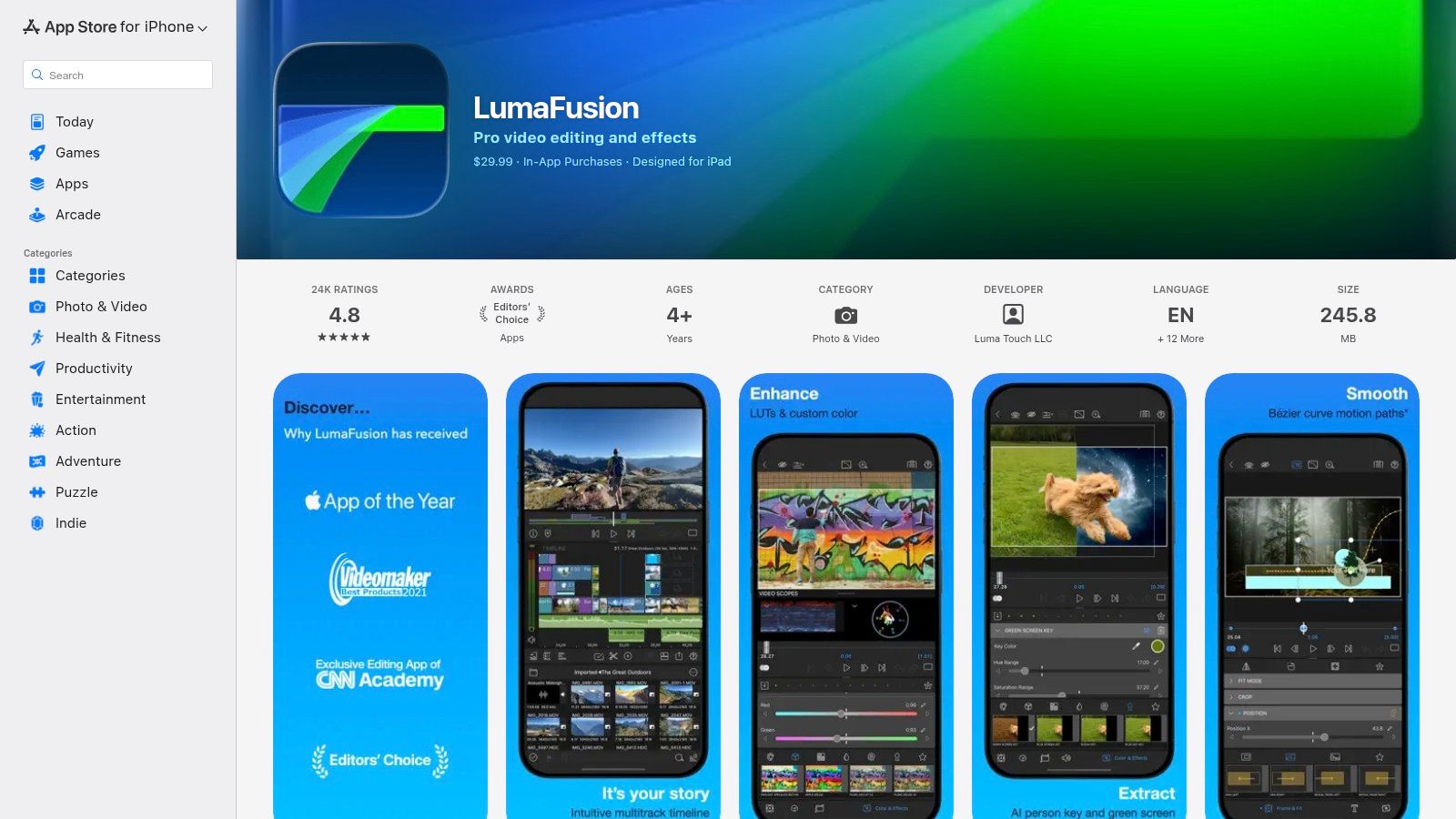
This app is designed for serious video editors who want to move beyond automated tools. For a real estate agent with drone footage or a professional photographer shooting in 4K, LumaFusion offers the controls needed to composite shots, fine-tune audio, and apply custom color LUTs for a signature look. It is a one-time purchase, which provides significant long-term value compared to subscription-based models.
Key Features & User Experience
LumaFusion's interface is complex but well-organized, offering a level of depth that rivals desktop software. Its powerful engine ensures smooth playback and responsive editing even with multiple 4K video layers, providing a reliable and professional workflow directly on a mobile device.
| Feature | Details |
|---|---|
| Multi-Track Timeline | Use up to 6 video/audio tracks and 6 additional audio tracks for complex edits. |
| Professional Tools | Advanced keyframing, color correction, effects, and audio mixing capabilities. |
| High-Resolution Support | Edit and export projects in up to 4K resolution with various frame rates. |
| Pricing | One-time purchase on the App Store; no recurring subscription fees. |
Pros:
- Desktop-Class Power: Unmatched control over editing parameters on a mobile platform.
- One-Time Cost: Excellent value for a professional tool without ongoing subscription costs.
- Reliable Performance: Optimized for iOS and iPadOS for smooth, stable editing.
Cons:
- Steep Learning Curve: Not suitable for beginners or those wanting quick, template-based edits.
- iOS/iPadOS Only: The app is not available for Android or desktop users.
Website: https://apps.apple.com/us/app/lumafusion/id1062022008
8. Wondershare Filmora
Wondershare Filmora bridges the gap between simple mobile apps and complex professional software, making it a strong candidate for the best app to make a reel for users who prefer a desktop editing experience. It provides an approachable timeline editor combined with social-media-ready templates, AI features, and straightforward vertical export presets, allowing for a more polished final product than many mobile-only tools can offer.
For real estate agents, this means you can compile high-resolution listing footage on a computer with more precision. Filmora’s AI tools, like silence detection, can quickly trim down walkthrough videos, while its extensive effects library helps add a professional touch. The dedicated 9:16 aspect ratio and social export presets ensure your final reel is perfectly optimized for Instagram without any manual adjustments.
Key Features & User Experience
Filmora is known for its user-friendly interface that simplifies traditional video editing concepts. The platform’s cross-platform functionality and access to the Filmstock asset library make it a versatile tool for creators who want to produce high-quality content without a steep learning curve.
| Feature | Details |
|---|---|
| AI Tools | Silence detection to automatically remove pauses and an AI Portrait add-on. |
| Asset Library | Access to the Filmstock library for royalty-free music, effects, and titles. |
| Social Media Presets | Easy timeline setup and export settings for 9:16 vertical video formats. |
| Pricing | Paid plans are required to export without a watermark; frequent bundles offered. |
Pros:
- Beginner-Friendly: The interface is intuitive and easy to learn for those new to desktop editing.
- No Watermark (Paid): Paid plans allow for clean, professional exports without branding.
- Cross-Platform: Available on both Windows and macOS, with mobile versions for flexibility.
Cons:
- Confusing Tiers: Multiple pricing plans, store pages, and add-on upsells can be difficult to navigate.
- Increased Cost: The total cost can rise significantly with add-ons for specific assets or advanced features.
Website: https://filmora.wondershare.com/store/buy-filmora-video-editor.html
9. VEED
VEED is a collaborative, browser-based video editor that excels in speed and accessibility, earning its spot as a potential best app to make a reel for teams. It requires no software installation, allowing users to jump straight into editing from any computer. The platform is built around simplifying common social media video tasks like subtitling, resizing for different formats, and adding branding elements.
For real estate teams, VEED shines in its collaborative features. A marketing coordinator can upload property clips, and an agent can review them and add comments via a simple share link. Its powerful auto-subtitling and translation tools make it easy to create accessible Reels that reach a wider audience, while AI-powered audio cleanup can remove background noise from property walkthroughs filmed on a phone.
Key Features & User Experience
VEED’s interface is clean and focused, guiding users through a streamlined workflow. The emphasis is on producing polished, shareable content quickly rather than complex, multi-layered editing. The collaboration tools are a key differentiator, making it ideal for brokerages or marketing agencies with approval processes.
| Feature | Details |
|---|---|
| Auto-Subtitles | Fast and accurate AI-powered captioning with translation capabilities. |
| AI Tools | Audio cleanup, video enhancement, and other smart editing features. |
| Collaboration | Shareable review links, comments, and team workspaces for feedback. |
| Pricing | Free plan with watermarks; paid plans add features and remove watermarks. |
Pros:
- Web-Based: No installation is required, making it accessible from any device with a browser.
- Team-Friendly: Built for collaborative workflows with easy sharing and feedback tools.
- Strong Subtitling: Best-in-class AI captioning and translation save significant time.
Cons:
- Complex Pricing: Plan features, AI credit limits, and pricing can vary and may cause confusion.
- Performance: Being browser-based, performance can sometimes lag with very large files or complex projects.
Website: https://www.veed.io/pricing
10. Splice
Splice is a sophisticated mobile-first editor that positions itself as the best app to make a reel for users who prioritize professional-grade controls on the go. It excels at creating clean, dynamic videos with powerful features like speed ramping, precise trimming, and high-quality overlays. Its intuitive interface makes complex editing tasks accessible directly on your phone, perfect for putting together a cinematic property tour while away from your desk.
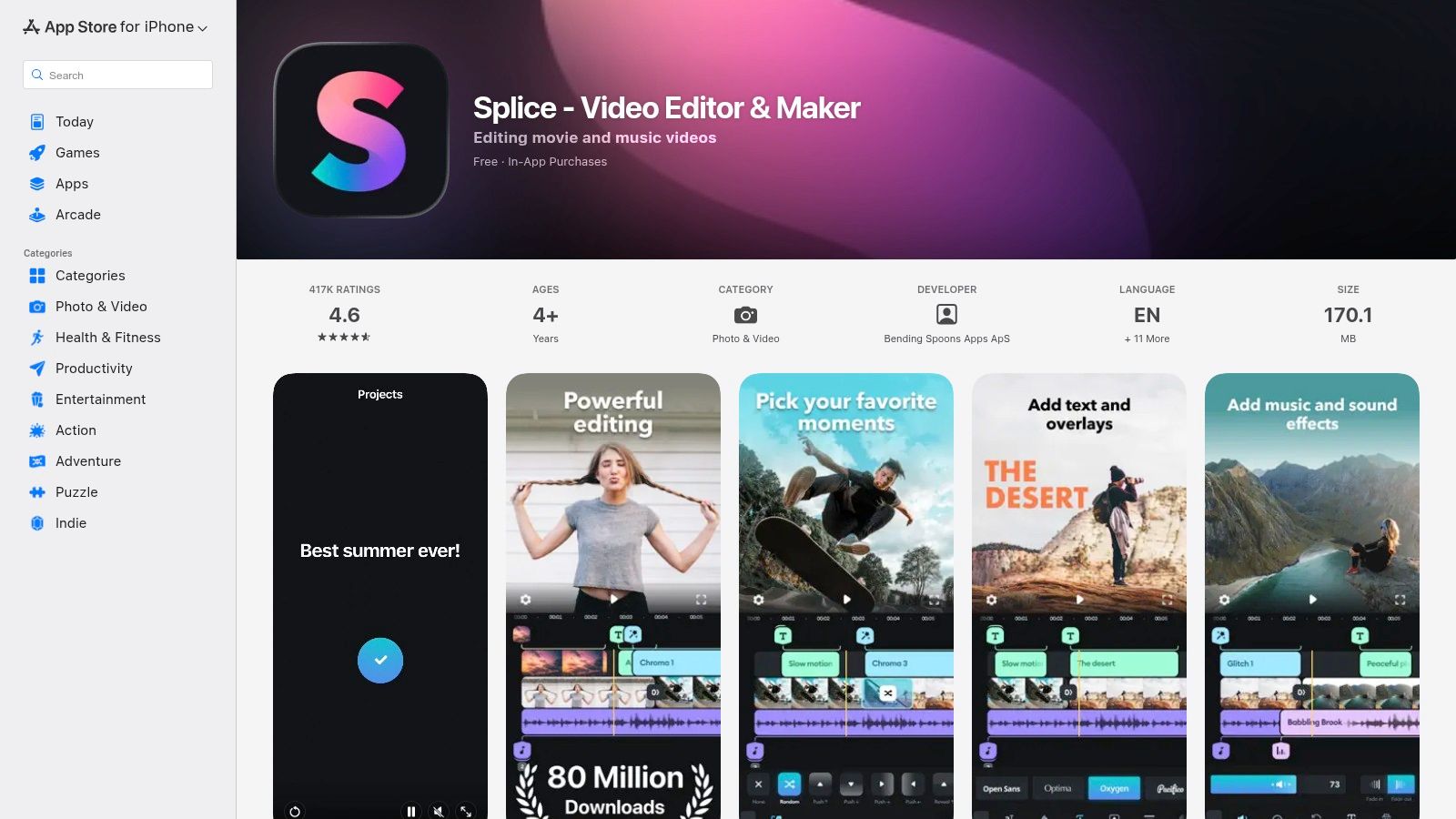
For real estate agents, Splice offers the tools to make your listings feel more high-end. You can easily adjust the speed of a drone shot to build drama, overlay text with your contact information, and sync clips to the beat of a track from its extensive, licensed music library. The direct-to-social export options ensure your final reel is perfectly formatted for Instagram without extra steps.
Key Features & User Experience
Splice’s user experience is polished and responsive, providing a timeline editor that feels both powerful and easy to navigate on a small screen. The app’s strength lies in its combination of fundamental editing tools with advanced creative controls and a top-tier audio library.
| Feature | Details |
|---|---|
| Advanced Editing | Precise trim/cut/crop tools, masks, chroma key, and Ken Burns effects. |
| Music Integration | Large library of royalty-free music and sound effects. |
| Speed Controls | Intuitive speed ramping to create slow-motion or fast-motion effects. |
| Pricing | Subscription-first model with weekly, monthly, or yearly plans. |
Pros:
- Polished UX: The mobile interface is clean, powerful, and a pleasure to use.
- Great Audio Library: Strong integration with licensed music makes finding the right track easy.
- Advanced Controls: Features like speed ramps and chroma key offer more creative freedom.
Cons:
- Subscription-First: The best features are locked behind a subscription, which can be costly.
- Variable Pricing: Costs can differ based on your App Store region and chosen billing cycle.
Website: https://apps.apple.com/us/app/splice-video-editor-maker/id409838725
11. VN (VlogNow)
VN (VlogNow) stands out as a powerful mobile editor that delivers pro-level features completely free and without a watermark, making it a strong candidate for the best app to make a reel for creators on a budget. It strikes an excellent balance between user-friendly design and advanced capabilities like a multi-track timeline, keyframe animation, and custom speed curves. This gives you precise control over your video elements without a steep learning curve.
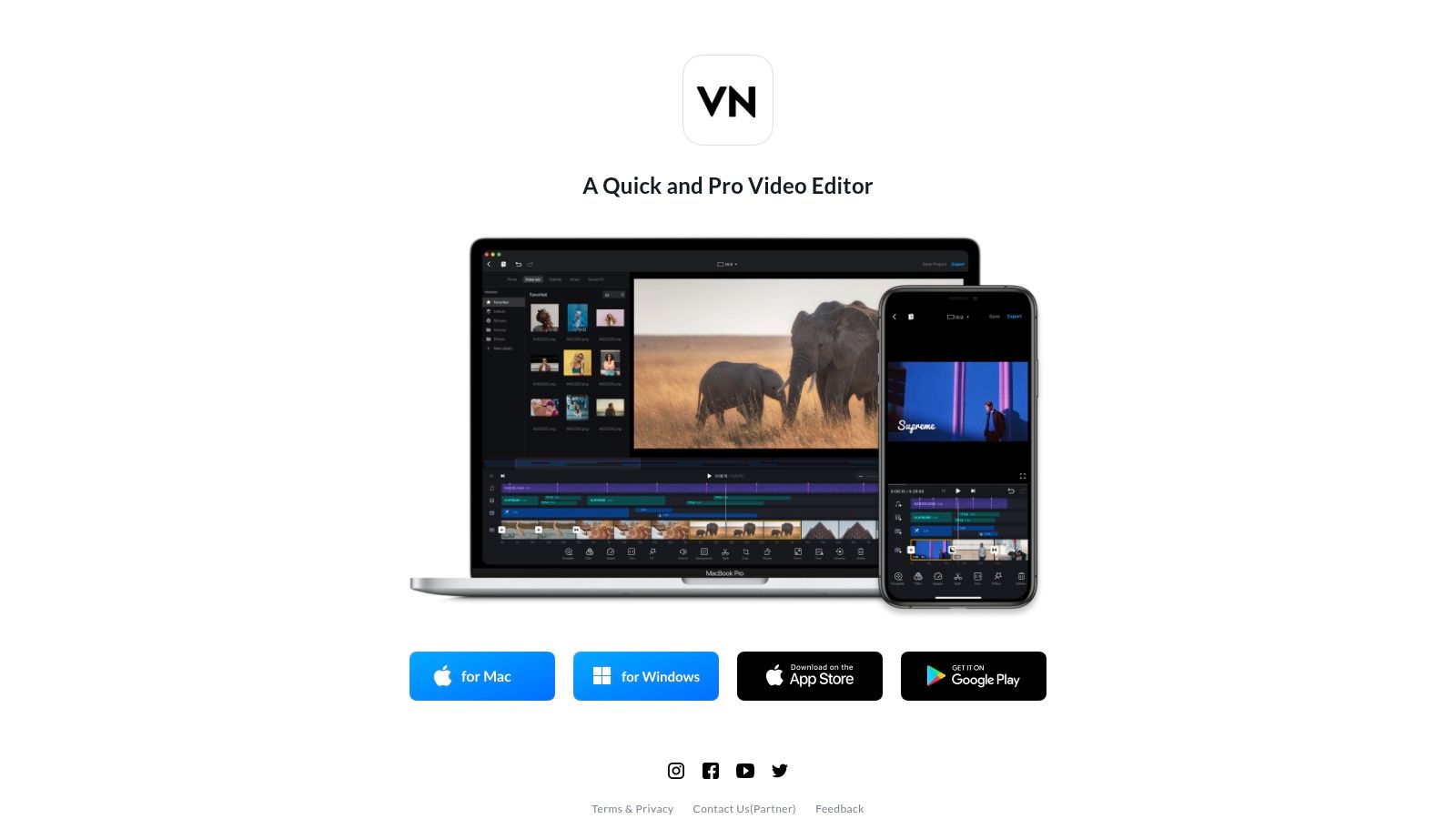
For real estate professionals, VN offers the flexibility needed for more customized property tours. You can easily layer text, logos, and a voiceover across multiple video clips, using keyframes to animate elements smoothly. The ability to import custom LUTs (color grading presets) allows you to maintain a consistent brand aesthetic across all your video content, while 4K export ensures your final reel looks sharp and professional on any screen.
Key Features & User Experience
VN’s interface is clean and feels less cluttered than many competitors, yet it hides a surprisingly deep feature set. The timeline is responsive, making it easy to perform precise cuts, layer audio, and adjust clip timing with its unique speed curve editor for cinematic slow-motion or fast-forward effects.
| Feature | Details |
|---|---|
| Multi-Track Timeline | Layer multiple video, audio, text, and sticker tracks with precision. |
| Advanced Controls | Keyframe animation for position, scale, and opacity; customizable speed curves. |
| Color Grading | Import custom LUTs for professional color correction and consistent branding. |
| Pricing | Completely free with no watermarks; some optional assets are available for purchase. |
Pros:
- Truly Free: Delivers an extensive suite of editing tools with no mandatory subscription or watermark.
- Precision Editing: Keyframing and speed curves offer a level of control typically found in desktop software.
- High-Quality Export: Supports up to 4K resolution with custom bitrate and frame rate settings.
Cons:
- Performance Issues: Some users report occasional crashes or slow export times on complex projects.
- No Template Library: Lacks a large, trend-focused template library like CapCut, requiring more manual editing.
Website: https://vlognow.me
12. PowerDirector (CyberLink)
PowerDirector is a long-standing name in video editing, offering both desktop and mobile apps that make it a reliable option if you're looking for the best app to make a reel with a traditional editor feel. It bridges the gap between simple mobile apps and complex desktop software, providing a powerful feature set that includes AI tools, an extensive effects library, and presets specifically for social media formats like Instagram Reels. The platform is continuously updated, especially for subscribers to the 365 plan.
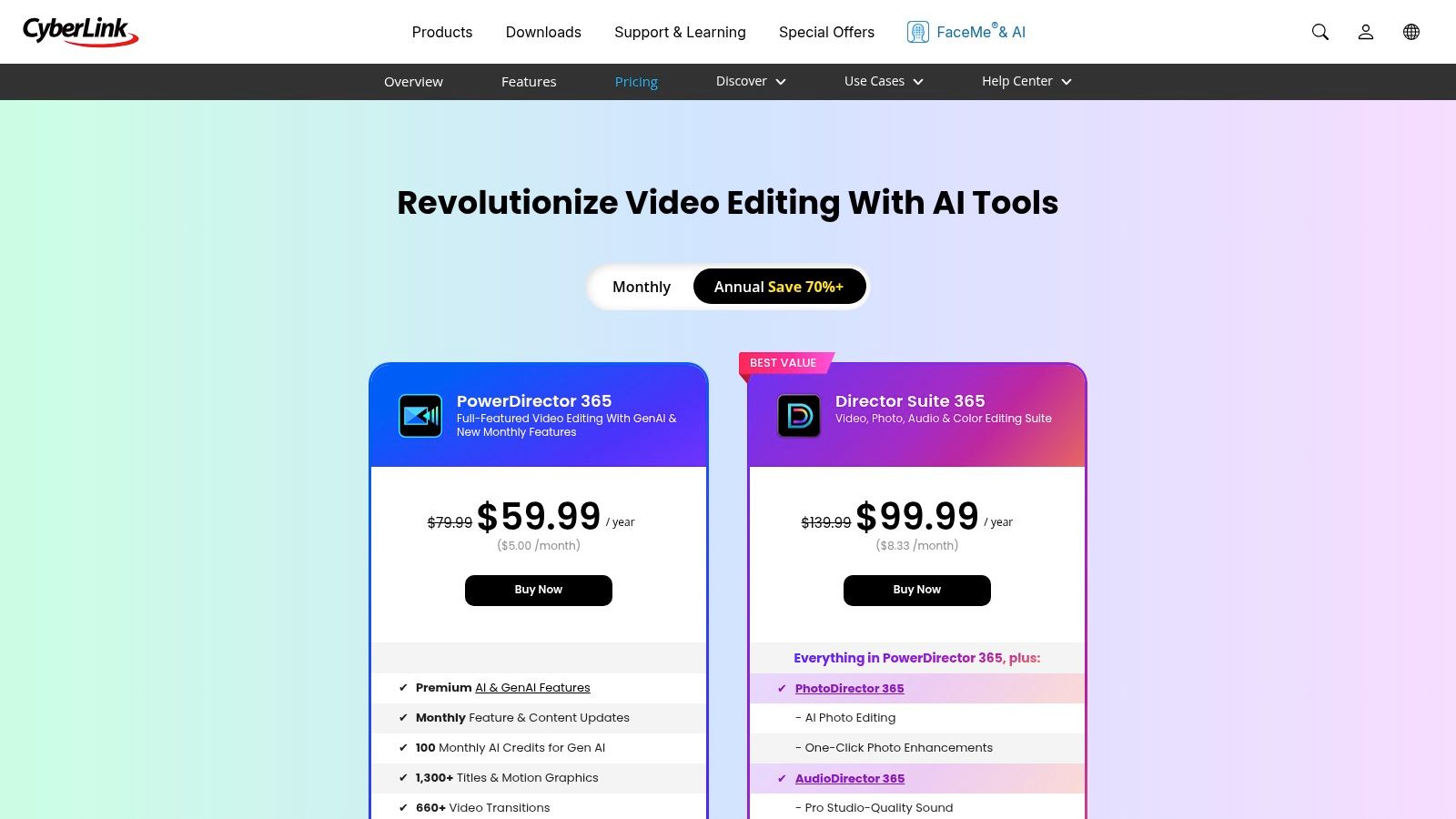
For real estate professionals, this means you can perform high-quality edits, add professional titles, and utilize AI features like background removal to create clean, compelling property tours. The optional Getty Images stock add-on can also be useful for sourcing lifestyle clips to enhance your listing videos. With support for 4K export, you can ensure your final reel looks crisp and professional on any device.
Key Features & User Experience
PowerDirector offers a familiar non-linear editing (NLE) timeline that is accessible for beginners but deep enough for advanced users. Its various subscription tiers can be confusing, so it's important to check the details to ensure the plan you choose includes the features and assets you need.
| Feature | Details |
|---|---|
| AI Tools | Includes AI-powered enhancement, sky replacement, and background removal. |
| Effects & Titles | Large library of transitions, video effects, and customizable title templates. |
| Stock Content | Optional add-on for royalty-free access to Getty Images stock library. |
| Pricing | Subscription-based (PowerDirector 365) or perpetual license options. |
Pros:
- Cross-Platform: Available on mobile and desktop for flexible editing workflows.
- Advanced Features: Supports 4K export and offers a wide range of tools for detailed editing.
- Competitive Pricing: The yearly subscription plans offer good value compared to some competitors.
Cons:
- Complex Plans: Subscription tiers and add-ons (like stock content or AI credits) can make the total cost unclear.
- Learning Curve: More complex than template-based apps, requiring some time to master.
Website: https://www.cyberlink.com/products/powerdirector-video-editing-software/pricing_en_US.html
Top 12 Reel-Making Apps — Feature & Performance Comparison
| Tool | 🏆 Best for | ✨ Key features | ★ UX & quality | 💰 Pricing / Value | 👥 Target audience |
|---|---|---|---|---|---|
| CapCut | Trendy, template-driven verticals | Web/desktop/mobile, AI captions, huge effects library | ★★★★ | 💰 Free-capable; Pro tiers vary | 👥 Short-form creators, social editors |
| Adobe Premiere (mobile) | Mobile multi-track control (iPhone) | Multi-track timeline, AI audio, Reels/Shorts presets | ★★★★ | 💰 Core free → paid storage/AI credits | 👥 iPhone creators, Premiere users |
| Adobe Express | Branded quick verticals + scheduling | 220k+ templates, background remove, scheduler | ★★★★ | 💰 Affordable Premium; AI credits gated | 👥 Marketers, social teams |
| Canva | Fast polished verticals & teams | Large templates, brand kits, Magic Media AI | ★★★★ | 💰 Freemium → paid teams (higher cost) | 👥 Non‑editors, teams, content calendars |
| InShot | Quick phone-first Reels | Trim/speed/filters, stickers, direct exports | ★★★ | 💰 Freemium (watermark/ads); inexpensive subs | 👥 Mobile beginners, casual creators |
| KineMaster | Feature-rich mobile NLE | Multi-layer timelines, chroma key, 4K/60fps | ★★★★ | 💰 Premium for full features | 👥 Advanced mobile creators |
| LumaFusion | Pro-grade iOS mobile editing | 6 track video/audio, keyframes, pro color tools | ★★★★★ | 💰 One-time iOS purchase | 👥 Pro iPhone/iPad editors, filmmakers |
| Wondershare Filmora | Desktop polish with social presets | AI tools, effects library, 9:16 exports | ★★★★ | 💰 Paid plans; add-on upsells | 👥 Desktop creators, beginners→intermediate |
| VEED | Browser-first captions & team workflow | Auto-subtitles, translations, hosting/sharing | ★★★★ | 💰 Freemium; AI credits vary by plan | 👥 Distributed teams, marketers |
| Splice | Music-forward mobile edits | Trim/cut, masks, music licensing, speed controls | ★★★★ | 💰 Subscription-first (store-dependent) | 👥 On-the-go editors, social creators |
| VN (VlogNow) | Free, no-watermark capable editor | Multi-track, keyframes, LUTs, 4K exports | ★★★★ | 💰 Free core; optional in-app purchases | 👥 Creators wanting powerful free tools |
| PowerDirector (CyberLink) | Cross-platform NLE with stock add-ons | AI enhance, background removal, social presets | ★★★★ | 💰 Competitive yearly; add-ons increase cost | 👥 Broad creators, value‑seeking pros |
The Verdict: Choosing the Right Reel App for Your Workflow
After diving deep into a dozen of the top contenders, one thing is abundantly clear: the best app to make a reel isn't a one-size-fits-all solution. The right choice depends entirely on your specific goals, your current skill level, and the type of content you produce most often. Your ideal tool is the one that fits seamlessly into your existing workflow, saving you time without sacrificing quality.
We've seen how apps like CapCut and InShot dominate the landscape for fast, trend-driven content, offering intuitive interfaces and vast libraries of sounds and effects. For those who need more creative control and professional-grade features on a mobile device, LumaFusion and KineMaster provide a powerful, pocket-sized editing suite that rivals desktop software. Meanwhile, platforms like Canva and Adobe Express have brilliantly merged graphic design with video, making them perfect for brand-consistent marketing content that requires less complex editing.
Matching the Tool to Your Goal
The most critical step in making your decision is to define your primary objective. Are you trying to participate in viral trends, create polished brand advertisements, or produce cinematic vlogs? Each goal points toward a different type of application.
- For quick, trendy, and social-first content: If your main goal is speed and access to popular audio and effects, CapCut, VN, and InShot are your best bets. They are built for the fast-paced nature of social media and make it easy to jump on a trend within minutes.
- For detailed, professional-level mobile editing: If you are a videographer or content creator who needs granular control over every clip, transition, and color grade, look no further than LumaFusion (for iOS) or PowerDirector. These apps offer multi-track timelines and advanced features that general-purpose apps lack.
- For branded marketing and template-based creation: Marketers and small business owners who need to maintain brand consistency will find Canva and Adobe Express invaluable. Their template-driven approach ensures a professional look with minimal effort.
When making your final decision, it's also helpful to think bigger. Consider consulting a guide on choosing a video editor for social media that works, focusing on features and workflows that align with your long-term content goals. This will help you select a tool you can grow with.
The Real Estate Professional’s Dilemma: From Photos to Motion
For our target audience of real estate agents, photographers, and property managers, the central challenge is unique. The core asset is almost always a collection of stunning, high-resolution photographs, not video clips. The primary task is to transform these static images into a dynamic, engaging video reel that captures a property's essence and stops potential buyers from scrolling.
This is where traditional video editors fall short. Manually adding keyframes, pans, and zooms to each photo in an app like Premiere or LumaFusion is incredibly time-consuming and requires a steep learning curve to look smooth. This is the specific problem that a specialized tool is designed to solve. It automates the most tedious part of the process for real estate professionals, using AI to analyze your photos and generate cinematic motion with realistic parallax and 3D effects. This approach bridges the gap between static listings and the video-first world of social media.
Ultimately, your choice should empower you to create content consistently. The best app isn't the one with the most features; it's the one you'll actually use to market your properties effectively, drive engagement, and grow your business.
Ready to turn your property photos into captivating video Reels in minutes, not hours? AgentPulse is the specialized tool designed for real estate professionals to create stunning, AI-powered video tours directly from your listing images. Try AgentPulse today and see how effortless high-quality property marketing can be.